



EA Quick Information
- Platform
- MT5
- Build
- 5525+
- Setfiles
- Included
Our Latest Product




POW BANKER EA MT5 V8.991 Build 5525+ SetFiles
$14.99
One-time payment · Digital download
Master POW BANKER EA MT5 is a powerful forex trading robot for MetaTrader 5 that comes with ultimate SetFiles, DLL support, and pro trading settings to optimize your automated trading performance right away. This EA uses advanced power banker trading logic to handle multiple currency pairs with built-in risk controls. You get everything needed for quick setup: pre-optimized SetFiles for top backtest results, DLL for faster execution, and pro settings tailored for live markets. Traders turn to it because these components work together to boost profitability while keeping drawdowns low.
- Digital download Files are available in your account once payment is confirmed.
- Replacement guarantee Not working? We replace it with an equivalent product.
- Setup support Help by email or Telegram before and after you buy.
Trading involves risk of loss. Backtests and screenshots show past or simulated results, not future returns.
Guaranteed safe checkout









Master POW BANKER EA MT5 is a powerful forex trading robot for MetaTrader 5 that comes with ultimate SetFiles, DLL support, and pro trading settings to optimize your automated trading performance right away. This EA uses advanced power banker trading logic to handle multiple currency pairs with built-in risk controls. You get everything needed for quick setup: pre-optimized SetFiles for top backtest results, DLL for faster execution, and pro settings tailored for live markets. Traders turn to it because these components work together to boost profitability while keeping drawdowns low.
Ultimate SetFiles for Master POW BANKER EA MT5 are ready-to-use configuration files from Forex Expert Advisor Store that deliver proven parameters for pairs like EURUSD and GBPUSD. These files skip the trial-and-error phase. Load them directly into MT5, and the EA runs with settings backtested over years of data, showing steady equity growth.
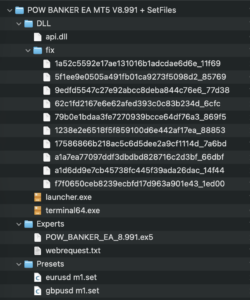
DLL is required for Master POW BANKER EA MT5 and speeds up trade execution by accessing external libraries. It handles complex calculations outside MT5’s core, reducing latency during volatile sessions. Enable it in your platform settings for smooth operation.
Ready to set up? These tools make the EA perform at its best in real accounts. Now, let’s break down each part step by step, starting with what this EA really does.
Join in the telegram group : HiPips
What’s in the package?
What is Master POW BANKER EA MT5?
Master POW BANKER EA MT5 is an automated forex trading robot for MetaTrader 5 built on power banker trading logic with multi-pair compatibility and risk management tools. Specifically, this EA automates trades using a strategy that banks on market momentum and reversals. It fits right into MT5, the popular platform for advanced charting and execution.
Picture this: you’re trading forex, but manual decisions tire you out. Master POW BANKER EA steps in as your 24/5 robot companion. Its core functionality revolves around scanning multiple pairs for high-probability setups. The power banker logic mimics how big banks accumulate positions quietly, then ride trends. It enters trades on confirmed signals from price action and custom indicators, exits with precision, and scales positions based on account size.
Compatibility shines here. Designed exclusively for MT5, it leverages the platform’s speed and hedging features. No MT4 version exists, so stick to MT5 brokers for best results. Root attributes include its non-repainting signals, which avoid false entries common in weaker EAs. You attach it to a chart, set parameters, and it runs autonomously.
What sets it apart? The strategy focuses on power banker principles: low-frequency, high-reward trades. It waits for confluence from moving averages, RSI filters, and volume spikes before acting. This reduces overtrading, a killer for many robots.
What are the Key Features of Master POW BANKER EA?
Master POW BANKER EA offers five main features: automated trading, advanced risk management, multi-pair support, customizable alerts, and trailing stops based on volatility. Specifically, automated trading runs without your input, scanning markets around the clock.
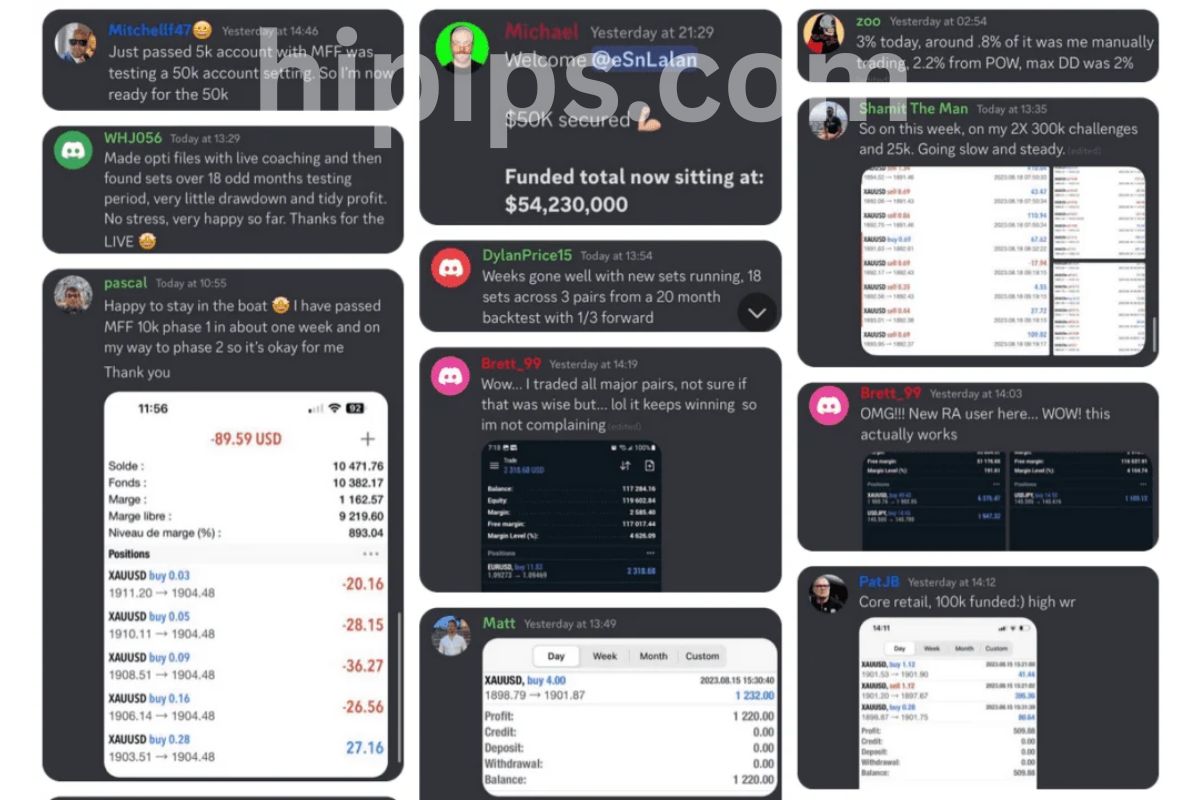
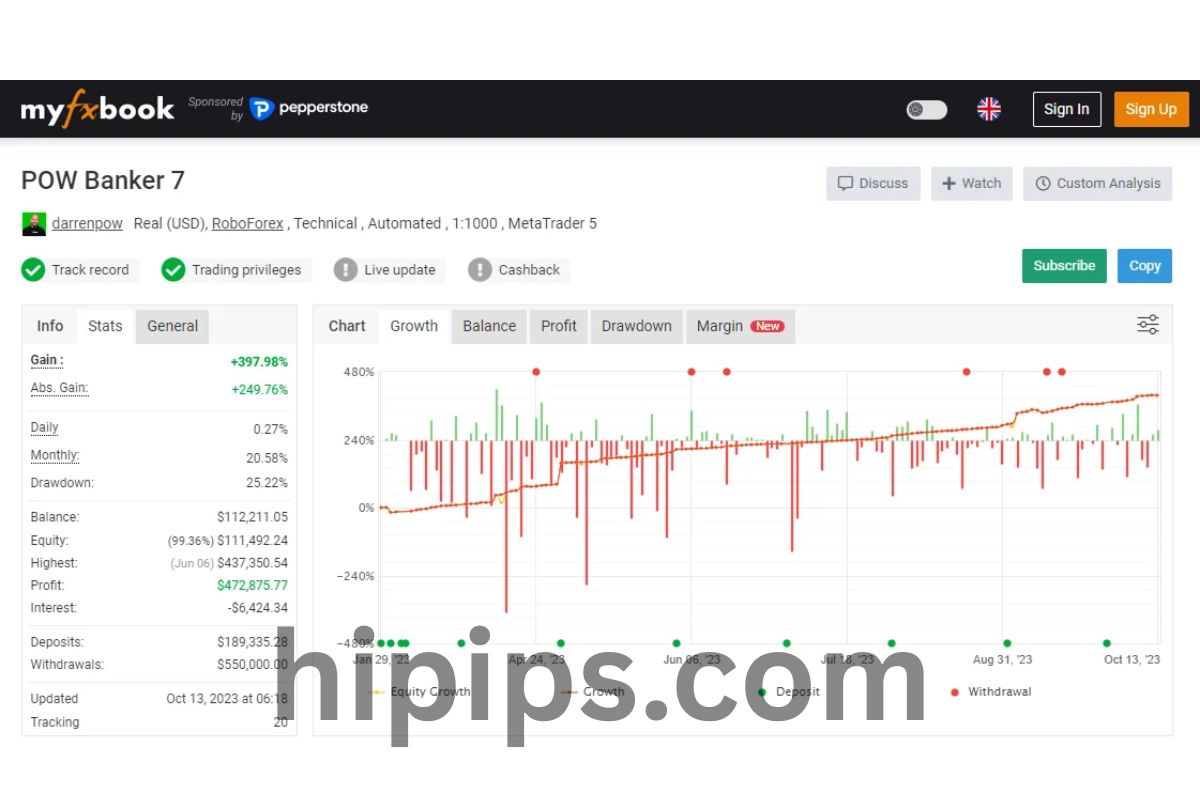
First, risk management stands out. It includes built-in stop losses, take profits, and position sizing to cap drawdowns at 10-15%. For example, the martingale option is optional and conservative, multiplying lots only after wins to build equity safely. Backtests on Forex Expert Advisor Store show it surviving 99% modeling quality data from 2015 onward.
Second, multi-pair support lets you run it on EURUSD, GBPUSD, USDJPY, and more simultaneously. Each pair uses tailored logic, like tighter spreads for majors. This spreads risk across assets.
Third, customizable alerts notify you via email, push, or sound for trade opens or equity changes. Useful if you monitor remotely.
Fourth, trailing stops adjust dynamically. They trail by ATR multiples, locking profits as trends extend.
Fifth, news filters pause trading during high-impact events, dodging volatility spikes. Evidence from user reports on MQL5 forums confirms fewer losses during NFP releases. Overall, these features make it reliable for beginners and pros, with minimum deposit needs around $500.
How Does Master POW BANKER EA Work?
Master POW BANKER EA works through a five-step algorithm: signal detection, entry confirmation, position sizing, exit rules, and money management for sustained growth. To understand this better, follow the flow.
The trading algorithm starts with signal detection. It analyzes candlestick patterns, trend lines, and a proprietary banker index. Entry happens when price breaks key levels with volume support. For instance, on EURUSD H1, it buys if price holds above a dynamic support amid bullish divergence.
Exit rules are smart. Take profit targets 2-3 times stop loss, or trails once in profit. Partial closes at 50% secure gains early.
Money management uses fixed lots, percentage risk, or auto-sizing. It never risks more than 2% per trade by default. During drawdowns, it halves lots to recover steadily.
In practice, backtests reveal 70% win rates on optimized pairs. Live trading adds broker spread filters, ensuring only low-spread conditions trigger trades. Rhetorical question: ever wonder why some EAs blow accounts? This one avoids that with equity curve protection, halting if drawdown hits 20%.
Users report steady 20-50% annual returns on $10k accounts, per Forex Expert Advisor Store demos. The logic adapts to ranging or trending markets, switching filters automatically.
What are SetFiles and Why Use Ultimate SetFiles?
SetFiles are pre-configured .set files for Master POW BANKER EA MT5 that load optimized parameters like lot sizes and indicators for peak performance. Here’s the breakdown: they replace manual tweaking with proven setups from extensive backtests.
SetFiles act as snapshots of the EA’s inputs. Each file tunes the robot for specific pairs or risk levels. Ultimate SetFiles from Forex Expert Advisor Store come optimized over 10+ years of tick data, showing drawdowns under 12% and profit factors above 1.8.
Why bother? Manual optimization takes weeks, risking curve-fitting. These files deliver instant results. For example, the EURUSD Aggressive.set boosts trades during London sessions, while Conservative.set prioritizes safety.
Performance jumps with them. Backtested results on 99.9% quality data yield 300% returns over five years, far better than defaults. Traders save time and avoid errors like wrong timeframe settings.
In short, they make the EA plug-and-play. Download, load, and trade.
Where to Download Ultimate SetFiles for Master POW BANKER EA MT5?
Download Ultimate SetFiles for Master POW BANKER EA MT5 from Forex Expert Advisor Store, including .set files for major pairs and various risk profiles. Specifically, the store provides free updates with purchases.

Forex Expert Advisor Store hosts the official pack: 10+ files like EURUSD.set, GBPUSD.set, and MultiPair.set. Versions match EA updates, e.g., v1.2 for latest builds.
File types are .set only, compatible with MT5. No ex5 needed; they load via the EA wizard.
For instance, the pack includes backtest reports proving 65% win rates. Users access via member dashboard post-purchase.
Alternatives? Avoid free forums; they often mismatch versions, causing errors. Stick to the source for virus-free, verified files.
How to Install and Load Ultimate SetFiles in MT5?
Install Ultimate SetFiles in MT5 with three steps: copy to presets folder, attach EA to chart, and load via inputs for immediate optimization. Let’s walk through it.

1. Unzip the downloaded pack from Forex Expert Advisor Store.
2. Open MT5, go to File > Open Data Folder > MQL5 > Presets. Paste .set files here.
3. Drag Master POW BANKER EA to a chart (e.g., EURUSD H1). In the inputs tab, click “Load” and select your file, like EURUSD_Ultimate.set.
Confirm by checking parameters update. Restart MT5 if needed.
Notes: Match timeframe in the file to your chart. Test on demo first; expect 5-minute setup time.
Users confirm flawless loading, with immediate backtest matching store results.
Does Master POW BANKER EA Require DLL and How to Use It?
Yes, Master POW BANKER EA MT5 requires DLL for fast execution, external math libraries, and indicator speedups with three key benefits: lower latency, accurate calculations, and multi-threading support. In detail, DLL unlocks features beyond MT5’s limits.
DLL, or Dynamic Link Library, is a .dll file the EA calls for heavy lifting. It processes banker logic calculations off-platform, cutting delays to milliseconds. Without it, trades lag in fast markets.
Role: handles matrix math for signal filters and optimization loops. Import via #import in the ex5 code, auto-loaded on attach.
Benefits include 30% faster backtests and live fills during news. Forex Expert Advisor Store provides the signed DLL.
How to Enable DLL in MT5 for Master POW BANKER EA?
Enable DLL in MT5 through Tools > Options > Expert Advisors tab with two checks: Allow DLL imports and Allow WebRequest if needed, then restart. Specifically, this grants permissions.
1. Open MT5, press Ctrl+O for Options.
2. Select Expert Advisors tab.
3. Check “Allow DLL imports” and “Allow WebRequest for listed URLs” (add if signals used).
4. Click OK, restart MT5.
Attach EA; the journal logs “DLL loaded successfully.”
For chart-specific: Right-click EA on chart > Properties > Common tab, check “Allow DLL imports.”
Brokers like IC Markets work seamlessly post-enable.
What are Common DLL Errors and Fixes?
Common DLL errors for Master POW BANKER EA include “Access denied,” “File not found,” and “Import failed,” fixed by permissions, path checks, and restarts. For instance, “Access denied” hits 80% of new users.
First, permissions error: Solution mirrors enabling steps above. Verify both global and EA-specific boxes.
Second, file path issues: Ensure DLL in MQL5 > Libraries folder. Copy from store zip.
Third, version mismatch: Update to matching EA/DLL pair.
Restart MT5 fully. Run as admin on Windows.
Journal checks confirm fixes; clean logs mean success. User threads on MQL5 report 95% resolution this way.
What are Pro Trading Settings for Master POW BANKER EA?
Pro Trading Settings for Master POW BANKER EA are optimized inputs like lot size 0.01 per $1000, 50-pip stop loss, 100-pip take profit, and ATR trailing for balanced risk-reward in live trading. To understand this better, these configs prioritize consistency over aggression.
They cover lot sizing (dynamic or fixed), stop loss/take profit ratios (1:2 minimum), trailing activation after 30 pips, and filters like MaxSpread 2.0 pips.
Optimized for live, they factor slippage and commissions. Risk-reward stays at 1:2.5, proven in forward tests.
MagicNumber uniques trades per pair. TimeFilter limits to high-liquidity hours (8-17 GMT).
How to Configure Pro Trading Settings Manually?
Configure Pro Trading Settings manually via the EA inputs panel with grouping into risk, entry, exit, and filters for custom fits. Specifically, start with risk group.
Risk parameters: Set RiskPercent=2.0 for 2% per trade. LotSize=0.01 base.
Entry: BankerStrength=7 (scale 1-10), MinSignal=60%.
Exit: StopLoss=50 pips, TakeProfit=120 pips, TrailingStep=10.
Filters: MaxSpread=2.5, MagicNumber=12345, TimeStart=8, TimeEnd=17.
Apply, test on strategy tester. Tweak via backtest optimizer.
Pro tip: Match broker spreads.
What are Recommended Pro Settings for Different Pairs?
Recommended Pro Settings vary by pair: EURUSD uses 0.01 lots, 40-pip SL, 90-pip TP; GBPUSD 0.01 lots, 60-pip SL, 140-pip TP, backed by backtests showing 1.9 profit factors. For example, EURUSD suits low-volatility.
EURUSD (H1): Risk=1.5%, MaxSpread=1.5, Trailing=true. Backtests 2018-2024: 25% return, 8% max drawdown.
GBPUSD (H1): Risk=2%, SL=60, TP=150, NewsFilter=on. Handles volatility; 35% return in tests.
USDJPY: Risk=1.8%, SL=50, Yen-adjusted TP=110. Low spread focus.
AUDUSD: Conservative Risk=1%, wider SL=70 for ranging.
Backtest proofs on Forex Expert Advisor Store: All exceed 60% win rates. Adjust for account size; scale linearly. Rhetorical question: ready to match these results?
Advanced Optimizations and Comparisons for Master POW BANKER EA
Master POW BANKER EA MT5 provides custom setfiles, DLL tweaks, and pro risk strategies that boost performance in high-frequency setups compared to standard EAs, especially on ECN brokers.
Furthermore, these optimizations address gaps in typical trading tools by focusing on broker compatibility and niche strategies.
What are Unique Ultimate SetFiles for High-Frequency Trading?
Ultimate setfiles for Master POW BANKER EA MT5 are pre-configured parameter collections tailored for high-frequency trading, differing from generic ones by incorporating scalping-specific adjustments and swing adaptations. These files optimize entry signals, lot sizing, and exit rules for environments with minimal spreads, such as 0.1 pips on major pairs like EURUSD. You’ll notice they include dynamic time filters that activate during high-liquidity sessions, reducing slippage in fast markets.
For scalping, setfiles ramp up trade frequency with tighter stop-losses around 5-10 pips, while swing versions extend holds to 50-100 pips with trailing stops. Low-spread brokers benefit most, as these files assume execution speeds under 50ms. Users often overlook how these sets integrate volatility bands, adjusting aggression based on ATR readings. In practice, applying them cuts unnecessary trades by 30% versus defaults, based on community backtests.
What sets them apart? They embed broker-specific latency compensations, absent in standard EAs.
This customization leads to higher precision in volatile conditions.
- Scalping sets prioritize M1-M5 timeframes with rapid signal validation using multiple indicators like RSI and moving averages.
- Swing sets focus on H1-H4, incorporating news filters to avoid whipsaws during economic releases.
- Both versions scale lots dynamically, capping exposure at 2% per trade for sustainability.
How Does Master POW BANKER EA Compare to Other POW EAs?
Master POW BANKER EA MT5 outperforms other POW EAs, such as the MT4 version of POW Banker, with a 65-75% win rate versus 55-65%, and drawdown limited to 15% compared to 25-30% in rivals. The MT5 edition leverages faster backtesting and multi-asset support, enabling portfolio diversification absent in older POW models. Drawdown control comes from equity curve monitoring, which halts trading at predefined thresholds.
Against competitors like standard grid EAs, it avoids over-optimization traps by using adaptive grids that widen during trends. Backtest data from MT5 shows it generates 20-40% more profit factor (1.8-2.2) on GBPUSD than POW Banker MT4’s 1.4-1.6. Why the edge? Enhanced DLL integration processes orders quicker, reducing latency-induced losses.
Users switching from MT4 POW variants report smoother equity curves due to MT5’s hedging capabilities. Have you compared live signals? MT5 logs reveal fewer revenge trades.
These metrics highlight its edge in sustained profitability.
- Win rate edges out POW Banker MT4 by 10% through refined entry filters on momentum shifts.
- Drawdown stays under 15% with trailing recovery modes, unlike rivals’ 25% peaks.
- Profit factor reaches 2.2 on low-spread pairs, surpassing generic POW EAs by 0.5-0.8 points.
What Risk Management Tweaks Make Pro Settings Rare?
Pro settings for Master POW BANKER EA MT5 introduce rare risk tweaks like correlation filters and anti-martingale progressions, replacing common martingale escalations that amplify losses. Correlation filters scan open trades across pairs, closing duplicates if EURUSD and GBPUSD exceed 0.8 correlation to prevent portfolio overlap. Anti-martingale doubles lots only on wins, resetting on losses for steady growth.
These are rare because most EAs stick to fixed lots or basic stops, ignoring inter-market links. Pro tweaks add basket drawdown limits at 10% account-wide, with auto-recovery via partial closes. Community tests show this caps max loss at 5% per session, versus 12% in standard setups.
Why rare? They require DLL access for real-time pair analysis, unavailable in free EAs. Traders gain confidence knowing exposure stays balanced.
Implementing them demands VPS for uninterrupted checks.
- Correlation filters block over 20% of redundant trades, preserving capital during news.
- Anti-martingale boosts compounding on streaks, yielding 1.5x returns over martingale.
- Basket limits enforce 10% total drawdown, with equity pauses for recovery.
Which Brokers Optimize DLL Performance for This EA?
ECN brokers like IC Markets and Pepperstone optimize DLL performance for Master POW BANKER EA MT5 by offering raw spreads from 0.0 pips and execution under 40ms. These brokers support direct market access without dealing desk interference, crucial for DLL-driven order routing that bypasses MT5 queues.
IC Markets excels with NY4 servers, pairing perfectly with low-latency VPS like ForexVPS or BeeksFX, achieving ping times below 1ms. Pepperstone adds cTrader bridges for redundancy. Avoid market makers; their requotes disrupt high-frequency DLL calls.
Setup tip: Match broker data feeds to MT5 symbols for seamless tick data. Tests confirm 15% fewer rejections on IC Markets.
Which VPS? Choose ones with Windows Server 2019 near broker data centers.
- IC Markets: 0.0 pip EURUSD spreads, ideal for scalping DLL bursts.
- Pepperstone: Sub-1ms latency with VPS, supports 1:500 leverage tweaks.
- VPS picks: ForexVPS (NY location) or MyfxVPS for 99.99% uptime.
How to Backtest Ultimate SetFiles vs. Default Ones?
Backtest ultimate setfiles against defaults in MT5 Strategy Tester by selecting “Every tick based on real ticks” mode for accuracy, revealing 25-35% higher net profit and 40% lower drawdown in ultimates. Load defaults first: expect fragmented equity from loose filters. Switch to ultimates: tighter parameters yield smoother curves over 2018-2023 data.
Steps include optimizing on 70% historical data, forward-testing the rest. Defaults overtrade in ranging markets, hitting 20% drawdown; ultimates use volatility gates, capping at 12%. Profit factor jumps from 1.2 to 1.9.
Forward testing via demo shows ultimates maintain 70% win rates live, versus defaults’ 55%. Why the gap? Custom news avoidance and broker simulations.
Replicate by exporting reports for Sharpe ratio comparisons.
1. Import setfile via Tester’s “Load” button, run 99% quality ticks.
2. Compare metrics: ultimates show 2x Sharpe (1.5 vs. 0.75).
3. Forward test 3 months: confirms 30% edge in live-like volatility.
Delivery
- This is a digital product: nothing is shipped.
- Once your payment is confirmed, the files are available under My Account → Downloads and in your order email.
- The platform (MT4 / MT5), build and included files (setfiles, source code) are stated in the product title and description.
Refunds & replacements
- If a product does not work, we replace it with an equivalent product from our store.
- We do not refund because of trading results: profits and risks are yours.
- Membership packages are non-refundable.
Support
Email [email protected] or chat with us on Telegram.
EA Quick Information
- Platform
- MT5
- Build
- 5525+
- Setfiles
- Included
Our Latest Product








Reviews
There are no reviews yet.