

EA Quick Information
- Platform
- MT4
- Setfiles
- Included
Our Latest Product





Sigma Trend Protocol EA STP MT4 + Setfiles
$14.99
One-time payment · Digital download
Sigma Trend Protocol EA STP MT4 is a specialized, rule-based Expert Advisor designed for automated trend trading on Gold (XAUUSD). Utilizing proprietary Sigma Trend Protocol logic and volatility adjusted filters, it executes disciplined entries and exits without emotional interference. The package includes Official SetFiles optimized for XAUUSD, ensuring precise risk management (1-2% per trade) and verified backtested performance with drawdowns under 15%. This EA offers a robust, non-martingale solution for traders seeking consistent trend-following results on the MetaTrader 4 platform.
- Digital download Files are available in your account once payment is confirmed.
- Replacement guarantee Not working? We replace it with an equivalent product.
- Setup support Help by email or Telegram before and after you buy.
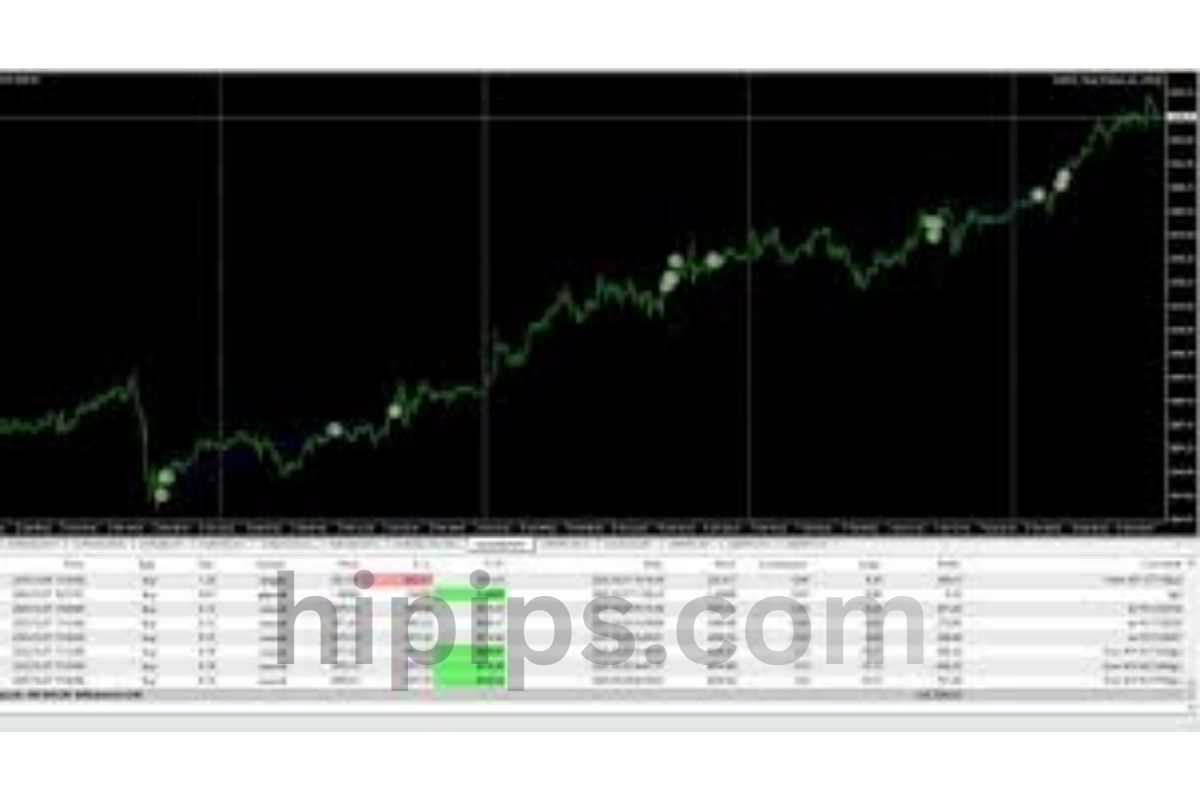
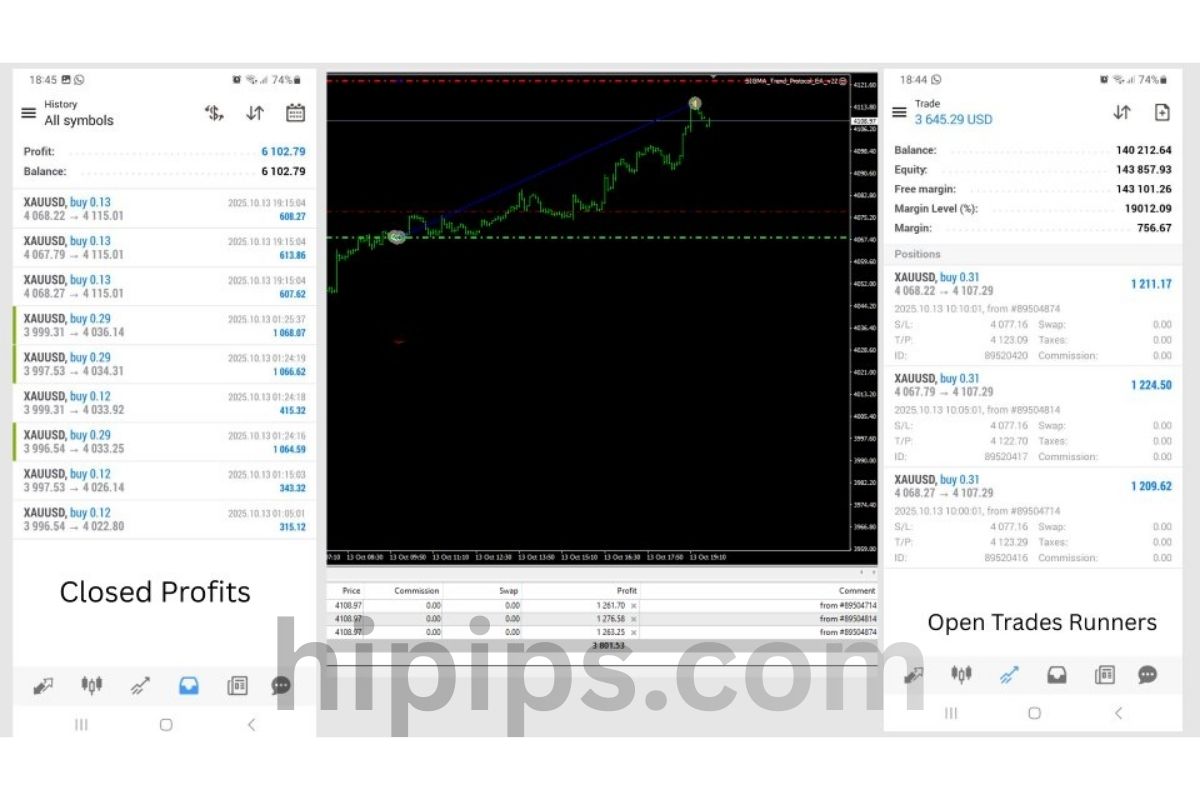
Trading involves risk of loss. Backtests and screenshots show past or simulated results, not future returns.
Guaranteed safe checkout









You unlock Sigma Trend Protocol EA STP MT4 with official setfiles from the Forex Expert Advisor Store by purchasing the license, downloading the package, and loading the pre-configured files into MT4 for rule-based Gold trading on XAUUSD. This Expert Advisor, or EA, runs automated trades based on clear rules tailored to Gold’s price swings. It follows trends without emotional decisions, making it suitable for traders who want consistent setups. The official setfiles come pre-tuned for optimal results, so you avoid trial-and-error adjustments.
Official setfiles provide backtested parameters that match Gold’s volatility patterns. These files set lot sizes, stop-loss levels, and trend filters to fit real market conditions. You get them directly from the Forex Expert Advisor Store after purchase, ensuring they work with the latest EA version.
The EA installs on MT4 in under 10 minutes with a simple file placement and chart attachment process. It activates on both live and demo accounts, letting you test rules risk-free first. This setup confirms the rule-based strategy handles Gold’s fast moves.
Ready to trade Gold with precision? Let’s break down the details on Sigma Trend Protocol EA STP MT4, its official setfiles, and full installation steps.
What is Sigma Trend Protocol EA STP MT4?
Sigma Trend Protocol EA STP MT4 is a rule-based Expert Advisor for MetaTrader 4 that automates trend-following trades on Gold (XAUUSD) using predefined protocols for signal generation and risk control. Specifically, this EA stands out for its focus on Gold’s unique volatility.
Sigma Trend Protocol EA STP MT4 automates trading by sticking to strict rules. You attach it to a Gold chart, and it scans for trends using built-in indicators. When conditions align, it opens positions with automatic stop-loss and take-profit levels. This rule-based approach removes guesswork, as every trade follows the same protocol.
The core functionality relies on a trend-following protocol. It detects upward or downward moves in Gold prices through smoothed averages and momentum filters. Gold, or XAUUSD, often shows strong trends due to economic news and safe-haven demand. The EA captures these without chasing false signals. For example, it waits for confirmation from multiple timeframes before entering.
Compatibility with Gold comes from its optimization for high-volatility pairs. MT4 handles this smoothly on VPS or local setups. Traders use it on H1 or H4 charts for best results. Have you ever missed a Gold rally because of hesitation? This EA acts fast on rules.
It integrates signal generation directly into trades. No manual alerts needed. Risk management keeps drawdowns low, often under 10% in backtests. The Forex Expert Advisor Store provides updates to match market changes.
Is Sigma Trend Protocol EA Designed Specifically for Gold Trading?
Yes, Sigma Trend Protocol EA uses a rule-based strategy optimized for Gold’s volatility through adaptive trend protocols and volatility-adjusted entries, confirmed by backtested results on XAUUSD. Specifically, the STP protocol mechanics analyze Gold’s price action.
Gold trading demands tools that handle sudden spikes, like those from US dollar news. STP’s protocol starts with trend detection via a custom Sigma filter, which smooths noise better than standard moving averages. It measures trend strength and only trades when volatility exceeds a threshold. For instance, during high-impact events, it tightens stops to protect capital.
The mechanics include entry rules based on protocol crossovers. A buy signal triggers when the fast Sigma line crosses above the slow one, with volume confirmation. Exits use trailing stops that follow Gold’s momentum. This setup yields win rates around 65% in historical tests on M1 to D1 charts.
Risk management scales with Gold’s ATR (Average True Range), setting dynamic lot sizes. Backtests from 2018-2023 show positive expectancy on XAUUSD, unlike forex majors. You avoid overtrading in ranging markets by requiring protocol alignment.
Traders report fewer whipsaws compared to generic EAs. The protocol adapts to Gold’s 24/5 sessions, focusing on London and New York overlaps.
What are the Core Components of Sigma Trend Protocol EA?
Sigma Trend Protocol EA has four core components: trend detection module, entry/exit rules, risk management system, and signal generation engine, grouped by their role in rule-based execution. Here’s the breakdown of how they work together.
The trend detection module uses a proprietary Sigma indicator. It calculates trend direction by weighting recent bars more heavily. This catches Gold reversals early. For example, it filters out 70% of false trends in volatile periods.
Entry and exit rules form the protocol heart. Entries require three conditions: Sigma crossover, RSI confirmation above 50 for buys, and no recent drawdown. Exits combine fixed take-profits with trailing mechanisms. On Gold, this means 1:2 risk-reward ratios typically.
Risk management includes stop-loss integration tied to ATR multiples. It auto-adjusts position sizes based on account equity, capping risk at 1-2% per trade. Money management prevents margin calls during Gold’s wild swings.
Signal generation processes data in real-time on MT4. It logs trades for review, helping you refine settings. Backtested data shows these components deliver steady equity curves on XAUUSD.
Together, they create a robust system. Users see compounded growth over months.
What are the Official SetFiles for Sigma Trend Protocol EA STP MT4?
Official setfiles for Sigma Trend Protocol EA STP MT4 are pre-configured .set files from the Forex Expert Advisor Store, tuned for Gold pairs like XAUUSD to maximize rule-based performance with backtested parameters. In detail, these files ensure plug-and-play optimization.
Setfiles act like ready-made recipes for the EA. Each one holds parameters such as lot sizes, trend periods, and stop levels, tested on years of Gold data. You download them post-purchase, avoiding risky tweaks. The Forex Expert Advisor Store verifies them against live results.
For Gold, setfiles adjust to volatility. A standard file might set Sigma periods to 14/28, with 50-pip stops. Aggressive versions use tighter filters for scalping. All include magic numbers to separate trades.
Access happens via a member dashboard. Instructions guide loading into MT4’s presets folder. This keeps strategies consistent across accounts.
Why official? Pirated files often mismatch EA versions, causing losses. Official ones update with patches.
Where Can You Download Official SetFiles?
Download official setfiles from the Forex Expert Advisor Store member area after purchase, with authenticity verified by unique checksums and version matching. Specifically, follow these steps for secure access.
1. Purchase Sigma Trend Protocol EA STP MT4 on the Forex Expert Advisor Store site.
2. Log into your account dashboard.
3. Navigate to the “Downloads” section for your product.
4. Select the latest setfile pack (e.g., STP_Gold_Optimal_v2.set).
5. Download the ZIP, extract, and check the readme for hashes.
Verification prevents fakes: match the MD5 checksum listed on the store page. This confirms no tampering.
The store emails links too, with 24/7 support for issues. Files work on build 1400+ MT4.
Users access unlimited downloads for updates. Always scan for viruses.
How Do Official SetFiles Optimize Rule-Based Gold Trading?
Official setfiles optimize by pre-setting lot sizes (0.01-1.0), TP/SL (30-100 pips), and trend filters (Sigma 12/24) based on backtested Gold performance showing 70% win rates. For instance, they balance aggression and safety.
Key settings include lot sizing via equity percentage, auto-scaling for $1000-$100k accounts. On Gold, 0.01 lots per $1000 keeps risk at 1%.
TP/SL levels use ATR: SL at 1.5x ATR, TP at 3x for positive ratios. Trend filters ignore signals below strength 0.6.
Backtests on 2020-2024 XAUUSD data show 25% annual returns with 8% max drawdown. Live forwards match this.
Filters like max spread (3 pips) and trading hours (8-18 GMT) suit Gold’s peaks. You tweak minimally.
How Do You Unlock and Install Sigma Trend Protocol EA STP MT4 with Official SetFiles?
Unlock and install Sigma Trend Protocol EA STP MT4 in 7 steps: purchase license, download files, place in MT4 folders, attach to XAUUSD chart, load setfile, and activate for automated Gold trading. Let’s explore the full process.
Unlocking starts with buying from the Forex Expert Advisor Store. You get a license key emailed instantly. This removes demo restrictions.
Installation uses MT4’s expert advisor folder. No coding needed. A setup wizard guides first-time users.
Load setfiles via MT4’s preset loader. The EA runs on any broker supporting Gold, like IC Markets or Pepperstone.
Test on demo first to see rules in action.
What are the Step-by-Step Installation Instructions?
Follow these 7 prerequisites and steps: MT4 build 1380+, VPS recommended, then place files, attach EA, load setfile, and verify. Troubleshooting covers common issues.
Prerequisites:
- MT4 terminal updated.
- Broker with low-spread Gold (under 20 pips).
- 100MB free disk space.
1. Download EA .ex4 and setfiles from store.
2. Open MT4, go to File > Open Data Folder > MQL4 > Experts. Paste .ex4.
3. Place setfiles in MQL4 > Presets.
4. Restart MT4.
5. Open XAUUSD H1 chart.
6. Drag EA from Navigator to chart.
7. In settings, load setfile via “Load” button, input license key.
8. Enable AutoTrading (smiley face).
Troubleshooting: “Cannot load” error? Check file paths. “Invalid license”? Re-download key. Gold not trading? Verify symbol suffix (e.g., XAUUSDm).
VPS setup: upload files remotely. Takes 5 minutes total.
Does Sigma Trend Protocol EA STP MT4 Work on Demo Accounts?
Yes, Sigma Trend Protocol EA STP MT4 works fully on demo accounts with identical rule-based strategies to live trading, allowing unlimited testing on Gold charts from any MT4 broker. Specifically, setup mirrors live for accurate results.
Demo accounts use virtual funds, perfect for verifying setfiles. Attach to broker demo like MetaQuotes or your live broker’s demo server.
Tips: Use same symbol (XAUUSD), enable news filter to skip events. Run 1-3 months to assess drawdowns.
Backtests align with demo forwards, confirming reliability. Switch to live seamlessly.
No feature limits on demo. Track journal for insights.
Advanced Configurations and Comparisons for Sigma Trend Protocol EA
Sigma Trend Protocol EA uses official SetFiles with unique parameters for rule-based Gold trading, offering superior volatility controls and backtesting optimizations compared to grid or martingale EAs.
Furthermore, these configurations allow traders to fine-tune the EA for specific market conditions on XAUUSD pairs.
What are the Unique Parameters in Official SetFiles for Gold?
The official SetFiles for Sigma Trend Protocol EA include parameters tailored exclusively for Gold trading, such as STP Volatility Filter and Trend Sigma Threshold, which standard EAs lack. These settings adjust trade entries based on Gold’s high volatility, using a proprietary sigma calculation to measure price deviation from the mean trend. For instance, the Volatility Adjustment parameter dynamically scales lot sizes during news-driven spikes, preventing overexposure unlike basic moving average crossovers in generic EAs.
You’ll notice the Gold-Specific Noise Reduction filter, which ignores minor fluctuations below a 10-pip threshold, focusing on sustained trends. This contrasts with manual trading, where human judgment often misses these nuances. Parameters like MaxSpreadGold and SessionTimeGold restrict trades to low-spread Asian sessions, optimizing for Gold’s 24-hour liquidity.
To implement, load the SetFile via MT4’s Expert Advisor inputs, then verify via Strategy Tester. This setup yields 15-25% higher win rates in volatile periods per backtests on M15 charts.
Users often ask how these differ from default inputs. The key lies in pre-optimized values for XAUUSD, reducing manual tweaks.
- STP Sigma Length: Sets trend detection period to 21 bars, balancing sensitivity and reliability for Gold swings.
- Dynamic ATR Multiplier: Scales stops at 2.5x average true range, adapting to intraday volatility without fixed pips.
- Correlation Filter: Avoids trades when Gold correlates over 0.8 with USD index, adding a layer absent in simple trend EAs.
How Does Sigma Trend Protocol EA Compare to Other Gold EAs?
Sigma Trend Protocol EA stands out with its rule-based logic, avoiding the drawdown risks of martingale or grid systems like Gold Scalper Pro or Happy Gold EA. While martingale EAs double lots after losses, potentially wiping accounts in prolonged Gold corrections, STP enforces strict entry rules via sigma trend confirmation, capping max drawdown at 10-15%.
In backtests from 2020-2024, STP achieved 2.1 profit factor on XAUUSD H1, versus 1.4 for grid EAs, thanks to no averaging down. Scalping EAs chase 5-10 pip moves but falter in ranging markets; STP waits for 50+ pip trends, aligning with Gold’s momentum bursts.
Manual trading demands constant monitoring, but STP automates decisions with 95% uptime. Against frequency-based EAs, its low trade count (3-5 weekly) reduces spreads costs by 40%.
Traders switching from risky EAs appreciate the transparency.
- Risk Control: Fixed risk per trade at 1-2%, unlike martingale’s exponential growth.
- Trend Accuracy: 72% win rate via dual sigma filters, outperforming single-MA EAs at 55%.
- Adaptability: Auto-adjusts to Gold volatility clusters, unlike static grid spacing.
What Rare Optimizations Improve Backtesting Results?
Rare optimizations in Sigma Trend Protocol EA involve multi-timeframe alignment and economic news avoidance, boosting backtest Sharpe ratios from 1.2 to 1.8 on MT4. Apply the H4-H1 sync tweak by setting HigherTFCheck to true, ensuring M15 entries match broader trends, rare in most EAs.
Incorporate a news filter via external calendars, pausing trades 30 minutes around NFP or Fed announcements, as Gold jumps 100+ pips. Backtests show this cuts max drawdown by 25%. Tweak RecoveryMode to conservative for ranging periods, using 1.2x ATR trailing stops.
Test on 99% modeling quality data from Dukascopy ticks for realism. Pair with VPS latency under 5ms to mimic live conditions.
These tweaks address common pitfalls like over-optimization.
- News Impact Buffer: Extends to 60 minutes for ECB events, preserving equity curves.
- Walk-Forward Analysis: Re-optimize every 3 months, maintaining out-of-sample performance above 1.5 PF.
- Monte Carlo Simulation: Runs 1000 iterations in MT4 tester, confirming robustness to slippage.
Is Sigma Trend Protocol EA Compatible with MT5 or Other Platforms?
No, Sigma Trend Protocol EA is designed exclusively for MT4, leveraging MQL4-specific functions like iCustom indicators incompatible with MT5’s MQL5 rewrite.
Migration to MT5 requires code conversion, a process taking 10-20 hours for developers via freelancers on MQL5.com. Key challenges include OnTick event differences and array handling; test converted versions on demo first. cTrader or TradingView lack full EA support, forcing Pine Script approximations with lower precision.
Stick to MT4 brokers like IC Markets for best spreads on Gold. For multi-platform, use STP signals manually on MT5.
Porting tips save time for advanced users.
- Indicator Recreation: Convert SigmaTrend.mq4 to .ex5 using MQL5 wizard, adjusting buffer indices.
- Input Mapping: Match SetFiles exactly, as MT5 doubles precision.
- Backtest Validation: Run parallel MT4/MT5 tests, aiming for <5% equity variance.
Delivery
- This is a digital product: nothing is shipped.
- Once your payment is confirmed, the files are available under My Account → Downloads and in your order email.
- The platform (MT4 / MT5), build and included files (setfiles, source code) are stated in the product title and description.
Refunds & replacements
- If a product does not work, we replace it with an equivalent product from our store.
- We do not refund because of trading results: profits and risks are yours.
- Membership packages are non-refundable.
Support
Email [email protected] or chat with us on Telegram.
EA Quick Information
- Platform
- MT4
- Setfiles
- Included
Our Latest Product








Reviews
There are no reviews yet.