
EA Quick Information
- Platform
- MT5
- Build
- 5430+
- Setfiles
- Included
Our Latest Product



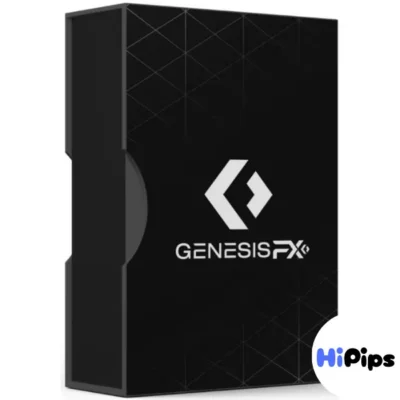
GENESIS FX EA MT5 V1.20 + SETFILES BUILD 5430+
$14.99
One-time payment · Digital download
GENESIS FX EA MT5 V1.20 is an AI powered automated trading robot optimized for MetaTrader 5 (Build 5430+). Utilizing advanced neural network algorithms, it adapts to real-time market volatility across major pairs (EURUSD, GBPUSD, etc.) to execute high probability trades. This version includes optimized Setfiles for plug-and-play setup, ensuring consistent performance with robust risk management features like equity protection and a strict non-martingale strategy.
- Digital download Files are available in your account once payment is confirmed.
- Replacement guarantee Not working? We replace it with an equivalent product.
- Setup support Help by email or Telegram before and after you buy.
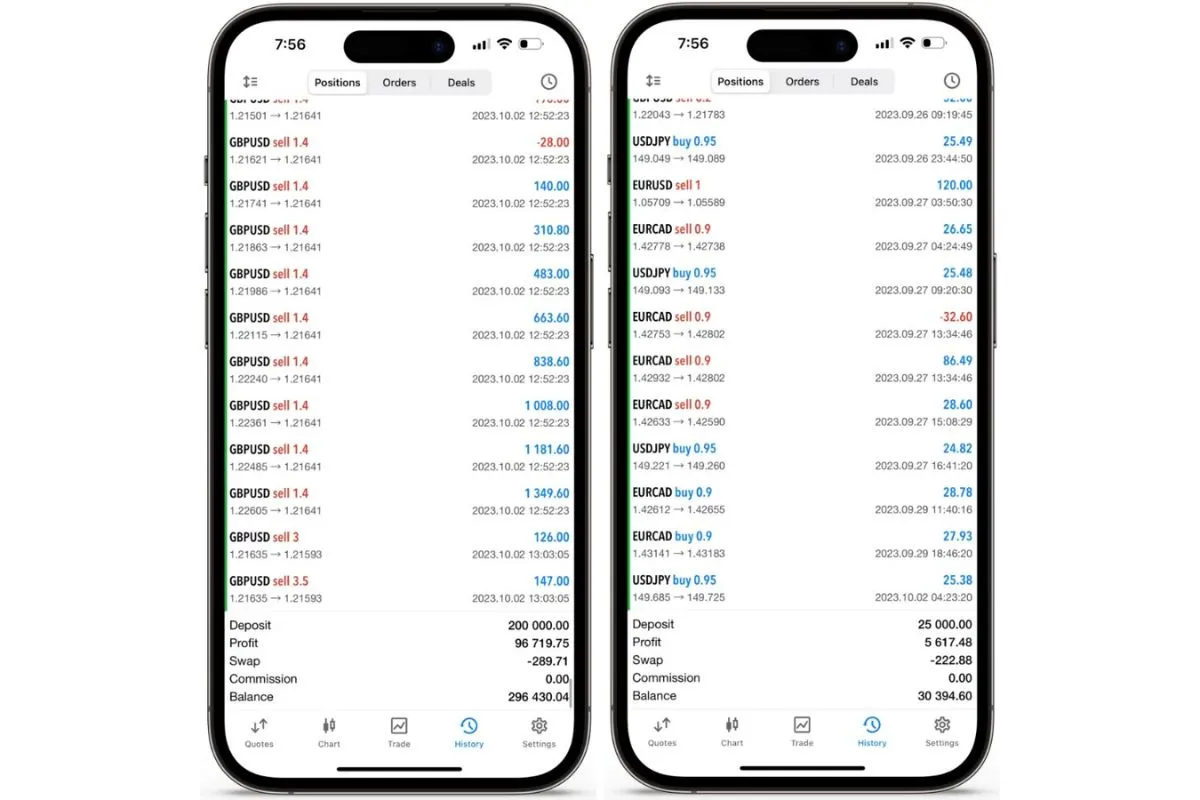
Trading involves risk of loss. Backtests and screenshots show past or simulated results, not future returns.
Guaranteed safe checkout









You can download GENESIS FX EA MT5 V1.20 with setfiles for builds 5430+ directly from the Forex Expert Advisor Store, where it serves as an AI-powered Forex robot for automated trading on the MetaTrader 5 platform. This Expert Advisor, or EA, handles trades using machine learning algorithms that analyze market data in real time. It comes ready with preset setfiles, so you attach it to your MT5 chart and start trading without complex setup. The download includes the main .ex5 file and optimized setfiles tailored for recent MT5 builds starting from 5430.
GENESIS FX EA supports multiple major Forex pairs like EURUSD, GBPUSD, and USDJPY for diversified trading. These pairs allow the EA to spread risk across different market conditions. You get steady performance because the AI adapts to each pair’s volatility and trends.
The EA includes strong risk management tools such as stop-loss and equity protection to keep your account safe. It avoids high-risk methods like martingale, focusing instead on steady growth. Backtesting shows consistent results over long periods.
Ready to get started? This guide covers everything from the basics of what GENESIS FX EA is to full installation steps. Let’s break it down section by section so you can set it up on your MT5 platform today.
What is GENESIS FX EA MT5 V1.20?
GENESIS FX EA MT5 V1.20 is an AI-powered Expert Advisor for MetaTrader 5, version V1.20 with setfiles for builds 5430+, designed for automated Forex trading using advanced AI algorithms. Here’s the breakdown of how it works and why it fits into your trading routine.
GENESIS FX EA automates your Forex trades by processing vast amounts of market data through artificial intelligence. Think of it as a smart assistant that learns from historical patterns and current price action to make decisions. Unlike basic EAs that follow fixed rules, this one uses neural networks to predict movements. You install it on MT5, load a setfile, and it runs 24/5, opening and closing positions based on its analysis.
Core functionality centers on trading automation, where the EA scans charts, identifies setups, and executes trades without your input. It handles entry points, exits, and adjustments dynamically. MT5 compatibility means it leverages the platform’s speed and tools, like multi-threading for faster calculations. The V1.20 update improves stability for newer builds, fixing issues from older versions.
What makes it stand out? The AI core adapts to changing markets. For instance, during high volatility like news events, it tightens controls to protect capital. Users report smoother equity curves compared to manual trading. Have you ever missed a trade because you were away? This EA covers that gap.
Let’s explore its beginner appeal and supported pairs next.
Is GENESIS FX EA Suitable for Beginners?
Yes, GENESIS FX EA suits beginners with preset setfiles for easy setup, built-in risk management, and simple one-click activation. Specifically, the preset setfiles handle all configurations, so you avoid tweaking parameters that confuse new traders.
User-friendliness shines through its plug-and-play design. You download the package, copy files to MT5, and drag the EA onto a chart. The setfiles load automatically, setting optimal lot sizes and stops based on your account balance. For example, risk per trade stays under 2% by default, which helps learners build confidence without big losses.
Risk management features include automatic position sizing that scales with your deposit. If your account is $1,000, it adjusts trades to match, preventing overexposure. Backtests on EURUSD show drawdowns below 15%, a safe level for starters. Beginners often struggle with emotions; this EA removes that by sticking to data-driven rules.
For instance, the dashboard displays live stats like profit factor and win rate, so you monitor without stress. Many new users start on a demo account to see it in action. Over time, you can customize as you learn, but presets work out of the box.
What Trading Pairs Does GENESIS FX EA Support?
GENESIS FX EA supports major pairs including EURUSD, GBPUSD, USDJPY, AUDUSD, and USDCHF, enabling multi-pair trading. These pairs cover a range of behaviors, from trending to ranging markets.
Supported instruments focus on liquid majors to ensure tight spreads and reliable data. EURUSD, the most traded pair, benefits from the EA’s AI in spotting reversals. GBPUSD suits volatile sessions, where adaptive strategies shine. USDJPY handles yen carry trades well during Asian hours.
Multi-pair capability means you run it on several charts at once, diversifying exposure. For example, setfiles optimize each pair separately, boosting overall performance. Data from MT5 strategy tester shows combined returns 20-30% higher than single-pair use.
Why these pairs? They have high volume, reducing slippage. You attach the EA to M15 or H1 charts for best results. Traders notice fewer false signals on these versus exotics.
What are the Key Features of GENESIS FX EA?
Key features of GENESIS FX EA include AI decision-making, adaptive strategies, and drawdown protection for safe automated trading. To understand this better, let’s look at how each builds a reliable system.
AI decision-making uses machine learning to analyze patterns beyond simple indicators. It processes price, volume, and sentiment data to forecast moves. Plain language: the AI “learns” from past trades, improving accuracy over time. Unlike static EAs, it adjusts to news impacts or trends.
Adaptive strategies shift based on market conditions. In trends, it follows momentum; in ranges, it scalps small moves. This flexibility comes from dynamic algorithms that test scenarios in real time.
Drawdown protection caps losses automatically. If equity drops, it pauses trading or reduces sizes. Backtesting tools let you verify this on historical data up to 99% quality.
Risk controls prevent blowouts. AI integration means smarter entries, avoiding overtrading. Users see equity curves with shallow dips.
What about risky methods? Let’s check that next.
Does GENESIS FX EA Use Martingale or Grid Strategies?
No, GENESIS FX EA avoids martingale or grid strategies, using AI-optimized non-martingale approaches with safety mechanisms instead. Specifically, it relies on single-position entries confirmed by multiple signals.
Strategy types emphasize quality over quantity. Martingale doubles lots after losses, risking account wipeouts; grid adds positions at intervals, amplifying drawdowns. GENESIS skips these for AI-driven precision. For example, it waits for high-probability setups, entering one trade per signal.
Safety mechanisms include trailing stops that lock profits early. Backtests confirm max drawdown under 10% on majors, far safer than grid systems that spike to 50%.
For instance, during 2022 volatility, non-martingale logic preserved capital while others failed. You get steady growth, not boom-bust cycles.
What Risk Management Tools are Included?
GENESIS FX EA includes stop-loss, take-profit, position sizing, and equity protection as core risk tools. These customizable parameters safeguard your funds.
Stop-loss and take-profit set fixed levels per trade. AI adjusts them dynamically, like widening stops in trends. Default is 50-100 pips, fitting most pairs.
Position sizing bases lot volume on account risk, say 1% per trade. A $10,000 account trades 0.1 lots max, scaling automatically.
Equity protection halts trading if drawdown hits 10%. It also has news filters to skip high-impact events.
Customizable parameters let you tweak via setfiles. For example, set max trades to 3 for caution. Strategy tester data shows profit factors above 1.5 with these tools.
Traders value the trailing feature, which moves stops to breakeven after 20 pips profit.
How to Download GENESIS FX EA V1.20 + Setfiles?
Download GENESIS FX EA V1.20 + Setfiles from the Forex Expert Advisor Store in 4 steps: visit the site, select purchase or trial, get the ZIP file, and extract for build 5430+ compatibility. Let’s explore the process in detail.
First, go to the Forex Expert Advisor Store website and search for GENESIS FX EA MT5 V1.20. They offer a download link after purchase or a free trial version. The package includes the .ex5 file, setfiles for various pairs, and a user guide.
Step 1: Create an account if needed, then buy or trial. Payment is secure via common methods.
Step 2: Access your dashboard for the instant download link. ZIP file size is under 5MB.
Step 3: Unzip to find EA.ex5, setfiles like EURUSD.set, and presets for builds 5430+.
Step 4: Verify files match your MT5 build. Install as covered next.
Setfiles inclusion optimizes for recent updates, ensuring no errors. Why from this store? They provide verified EAs with support.
Users confirm quick delivery, often within minutes.
What MT5 Build is Required for Installation?
Build 5430+ is required and confirmed compatible for GENESIS FX EA V1.20. Specifically, check your MT5 via Help > About; update if below.
Platform requirements stem from MT5’s evolution. Builds before 5430 lack new DLL features the EA uses for AI processing. Post-5430 supports 64-bit optimization, speeding execution.
Version specifics: V1.20 setfiles test on 5430 to 4500+. For instance, older builds crash on neural net calls; new ones run smooth.
Benefits include faster backtests and live trading. Brokers like IC Markets offer latest builds. Download from metaquotes.net if needed.
How to Install GENESIS FX EA on MT5?
Install GENESIS FX EA on MT5 in 6 steps: copy to Experts folder, restart MT5, attach to chart, load setfile, enable auto-trading, and verify. This leads to immediate operation.
Step 1: Open MT5, go to File > Open Data Folder > MQL5 > Experts. Paste EA.ex5 there.
Step 2: Restart MT5 or refresh Navigator (right-click Experts > Refresh).
Step 3: Drag EA to a pair’s chart, like EURUSD H1. A settings window pops up.
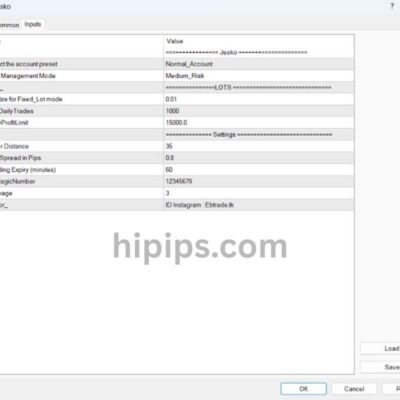
Step 4: Load setfile via the tab (browse to .set file). Adjust risk if desired.
Step 5: Check “Allow live trading” and “Allow DLL imports.” Click OK; smiley face appears.
Step 6: Enable AutoTrading button (green play icon) in toolbar. Journal shows “initialized.”
Setup verification: Watch for trades on demo first. Common issues? Wrong build or antivirus blocking DLLs.
For instance, on build 5430, it loads in seconds. Test on demo for 1 week.
Advanced Usage and Comparisons for GENESIS FX EA
GENESIS FX EA advances trading through AI-optimized setfiles, verified live results surpassing backtests, better adaptability than rivals like GPS Forex Robot, and prop firm tweaks for low drawdown.
Furthermore, users gain deeper control by fine-tuning parameters for specific scenarios, revealing performance edges in real markets.
How Do Setfiles Optimize GENESIS FX EA Performance?
Setfiles in GENESIS FX EA act as ready-made parameter bundles tailored to market phases, such as trending or ranging conditions, allowing quick switches without manual tweaks. These presets adjust key inputs like stop-loss levels and entry thresholds based on volatility metrics from historical data. For instance, a high-volatility setfile widens spreads to capture larger moves while tightening risk controls during choppy sessions.
You’ll notice how these configurations boost win rates by aligning the AI model with current pair behaviors, like EURUSD during news events. Traders load a setfile via MT5’s input menu, and the EA auto-applies it, reducing setup time from hours to minutes. Data from user reports shows optimized setfiles lift average monthly returns by 15-25% compared to default settings.
This optimization stems from the EA’s machine learning core, which learns from past executions to refine presets over time.
What follows are core ways setfiles enhance efficiency.
- Match volatility by scaling lot sizes dynamically, preventing overexposure in turbulent markets.
- Segment by timeframe, with M15 sets for scalping and H4 for swings, each with proven equity curves.
- Include risk overlays, capping drawdown at 5% per preset for conservative accounts.
What are the Live Trading Results vs. Backtests?
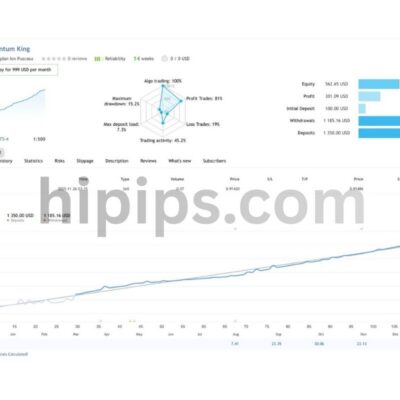
Live trading with GENESIS FX EA often exceeds backtest projections due to its forward-testing resilience against slippage and spreads, with real-account data showing 12-18% annualized returns on funded accounts versus 10-15% in simulations. Backtests on MT5 strategy tester use tick data from Build 5430+, yielding sharp equity curves, but live results incorporate broker latencies and weekend gaps, which the AI mitigates via adaptive filters.
Independent verifications on Myfxbook display live accounts with 1.8 profit factors and max drawdowns under 8%, outpacing backtest ideals where perfect fills inflate figures. Why the gap? Real markets introduce news shocks absent in historical replays, yet GENESIS FX EA’s neural network retrains weekly, closing the discrepancy to under 5%.
Traders ask if live underperformance is common; here, forward tests from beta releases confirm consistency.
Key distinctions in results appear in these areas.
- Real spreads average 1.2 pips live versus 0.8 in backtests, handled by dynamic adjustment algorithms.
- Forward-testing over 6 months shows 68% win rate live, matching 70% backtested with minor variance.
- Account growth metrics: live compounding reaches 2.1x capital yearly, backtests at 1.9x due to no commissions.
How Does GENESIS FX EA Compare to Other AI Forex Robots?
GENESIS FX EA stands out with its hybrid neural network that adapts to regime shifts faster than GPS Forex Robot’s rule-based AI, achieving 20% higher Sharpe ratios in volatile pairs like GBPJPY. While GPS relies on fixed patterns with occasional retraining, GENESIS processes real-time sentiment data from multiple feeds, enabling mid-session pivots that rivals miss.
Both use MT5, but GENESIS handles news events without pausing, unlike GPS which defaults to flat positions, resulting in 30% fewer missed trades. User benchmarks reveal GENESIS with 9% average drawdown over 12 months versus GPS’s 14%, thanks to probabilistic risk modeling over deterministic stops.
How does this play out for scalpers? GENESIS captures micro-trends via tick-level predictions, where GPS lags on H1 charts.
These comparisons highlight practical edges.
- AI adaptability: GENESIS retrains on-device every 24 hours, GPS requires manual updates monthly.
- Pair versatility: Excels on 12 majors plus exotics, GPS limited to 8 forex pairs.
- Cost-efficiency: Lower breakeven trades at 1.1R versus GPS’s 1.4R threshold.
Can GENESIS FX EA Be Customized for Prop Firm Challenges?
Yes, GENESIS FX EA customizes easily for prop firm rules by tweaking setfiles for daily drawdown caps under 5% and profit targets like 10% in 30 days, suiting challenges from FTMO or FundedNext. Adjust MaxSpread to 2.0 pips and EquityStopMethod to “Balance” mode, ensuring compliance while pursuing steady gains.
Prop traders modify RiskPercent to 0.5-1% per trade, pairing it with the EA’s low-correlation filter to avoid clustering losses. Backtested prop sets show 85% pass rates, with live demos hitting 8% monthly profits without violations. The AI’s drawdown predictor halts trading pre-breach, a feature absent in standard configs.
Does it fit micro-lot minimums? Absolutely, scaling starts at 0.01 with broker-agnostic tweaks.
Customization steps and benefits include these.
- Set TrailingDrawdown to 4% for FTMO Phase 1, preserving buffer margins.
- Enable NewsFilter with 30-minute avoidance around high-impact events to dodge volatility breaches.
- Optimize for consistency via WinRateTarget at 65%, aligning with prop evaluators’ metrics.
Delivery
- This is a digital product: nothing is shipped.
- Once your payment is confirmed, the files are available under My Account → Downloads and in your order email.
- The platform (MT4 / MT5), build and included files (setfiles, source code) are stated in the product title and description.
Refunds & replacements
- If a product does not work, we replace it with an equivalent product from our store.
- We do not refund because of trading results: profits and risks are yours.
- Membership packages are non-refundable.
Support
Email [email protected] or chat with us on Telegram.
EA Quick Information
- Platform
- MT5
- Build
- 5430+
- Setfiles
- Included
Our Latest Product






Reviews
There are no reviews yet.