


EA Quick Information
- Platform
- MT5
- Setfiles
- Included
Our Latest Product


RTX Parody EA MT5 + SetFiles
$14.99
One-time payment · Digital download
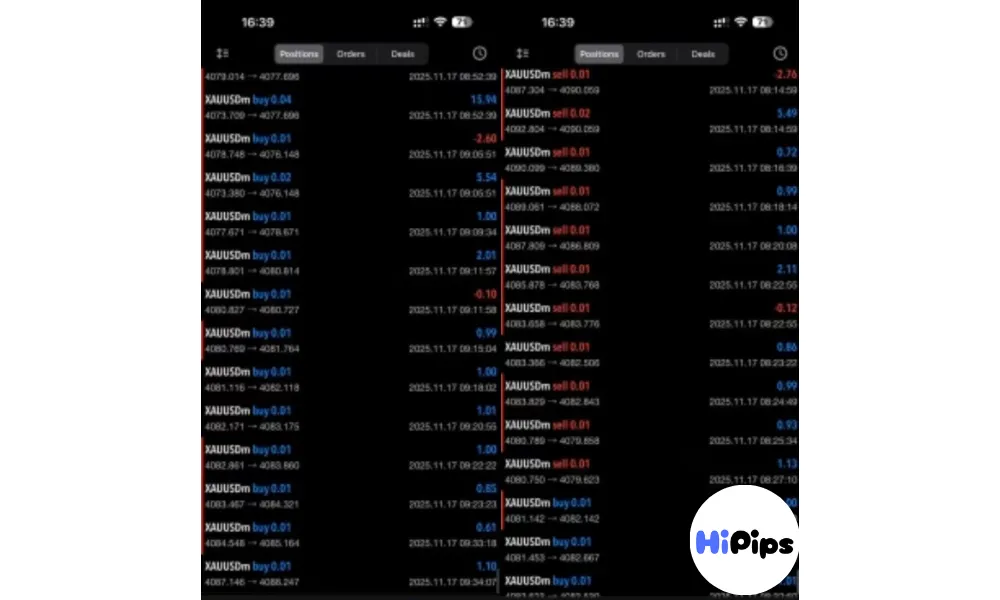
RTX Parody EA MT5 is an automated trading expert advisor with XAUUSD (Gold). Real profit performance verified on real account.
- Digital download Files are available in your account once payment is confirmed.
- Replacement guarantee Not working? We replace it with an equivalent product.
- Setup support Help by email or Telegram before and after you buy.
Trading involves risk of loss. Backtests and screenshots show past or simulated results, not future returns.
Guaranteed safe checkout









What is RTX Parody EA MT5 + SetFiles?
RTX Parody EA MT5 utilizes a sophisticated combination strategy of trend detection (EMA), martingale averaging, and a pyramiding architecture to maximize profit potential. This fully autonomous Expert Advisor (EA) is engineered for maximum convenience, providing surgical precision in entry points by filtering market noise through advanced price action layers. Highly customizable and resilient, the software adapts to both volatile and swing markets through dynamic position management, ensuring every trade is executed with professional-grade accuracy on the MetaTrader 5 terminal.
Original Price: $999
Hipips Price: $14.99
Key Takeaways
Hybrid Logic: Combines martingale averaging and pyramiding for profit expansion and recovery.
Trend Detection: Uses a short-term EMA Period 5 for micro-trend detection.
Controlled Martingale: Features a very mild Martingale Lot Multiplier for safer recovery.
Group Protection: Enable Group BEP provides a crucial safety layer against deep drawdowns.
Profit Expansion: Enable Pyramiding allows the EA to add positions when trades are in profit.
RTX Parody EA MT5 Review
Installation Guide
Step-by-Step Installation Guide
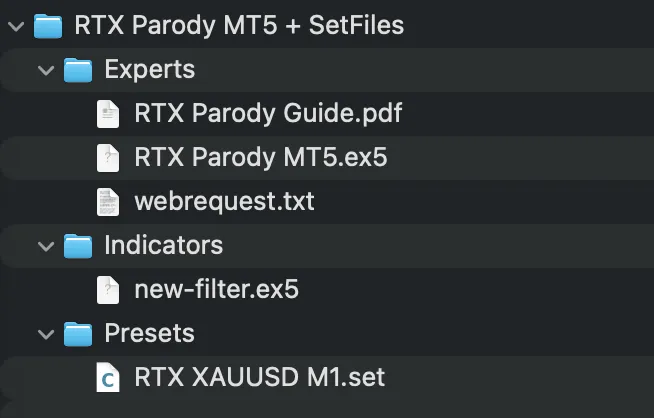
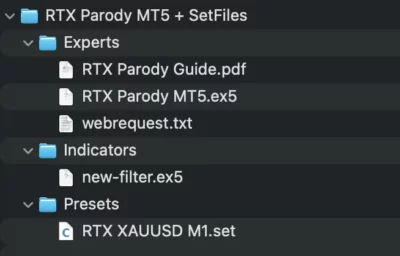
1.Get the EA Files: Download the Expert Advisor package, which should contain an .ex5 file and potentially a .dll file. Unzip the package if it’s in a .zip format.
2.Open MT5 Data Folder: Launch MetaTrader 5, go to File > Open Data Folder, and a file explorer window will open.
3.Copy EA File: Navigate to the MQL5 folder, then open the Experts folder and paste your .ex5 file here.
4.Copy DLL File (If Applicable): If your EA package includes a .dll file, paste it into the MQL5 > Libraries folder.
5.Restart MT5: Close and reopen the MetaTrader 5 platform to refresh the file system.
6.Find in Navigator: In MT5, open the Navigator window (Ctrl+N) and expand the Expert Advisors section; your EA should now appear.
7.Attach to Chart: Drag the EA onto the desired currency pair chart.
8.Configure Settings: In the pop-up window:
Go to the Inputstab and verify settings like risk levels.
Check the boxes for Allow Modification of Signal Settingsand Allow Algo Trading.
9.Enable AutoTrading: Click the main AutoTrading button on the MT5 toolbar to turn it green, allowing the EA to run.
Product Download Package?
FAQs
Can I use this robot with any MT5 broker?
Yes, it is compatible with all brokerage firms that support the MetaTrader 5 platform and offer competitive spreads for forex and precious metals. Choosing a broker with low latency will further enhance the execution speed of the automated logic.
Is a high speed internet connection required?
A stable internet connection or a dedicated VPS is highly recommended to ensure that the bot remains connected to the server 24/5 for seamless execution. This setup prevents missed trade opportunities caused by local power outages or connectivity issues.
Does the system use risky grid or martingale methods?
This expert advisor focuses on trend following logic with fixed safety parameters and does not rely on dangerous recovery strategies that could put the account at risk. Every position is managed with a clear focus on long term stability and equity protection.
Delivery
- This is a digital product: nothing is shipped.
- Once your payment is confirmed, the files are available under My Account → Downloads and in your order email.
- The platform (MT4 / MT5), build and included files (setfiles, source code) are stated in the product title and description.
Refunds & replacements
- If a product does not work, we replace it with an equivalent product from our store.
- We do not refund because of trading results: profits and risks are yours.
- Membership packages are non-refundable.
Support
Email [email protected] or chat with us on Telegram.
EA Quick Information
- Platform
- MT5
- Setfiles
- Included
Our Latest Product







Reviews
There are no reviews yet.