
Best MT4 Copy Trading Software: How to Compare Account Copiers


Recommended MT4 copy path: MT4 copy trade hub -> copy trades from one MT4 to another -> MetaTrader account copier -> VPS latency checks -> LOCAL TRADE COPIER MT4 + MT5. Use these pages together when comparing copy trader MT4, MT4 copy trade, MT4 copy trading, MetaTrader 4 copy trade, and MetaTrader copy trades.
MT4 copy trading path: MT4 copy trading guide -> copy trades from one MT4 to another -> MT4 account copier setup -> VPS and latency checks -> LOCAL TRADE COPIER MT4 + MT5. Use these pages together when comparing MT4 copy trade, MT4 account copier, account copier MT4, MetaTrader account copier, and copy trading MT4 setups.
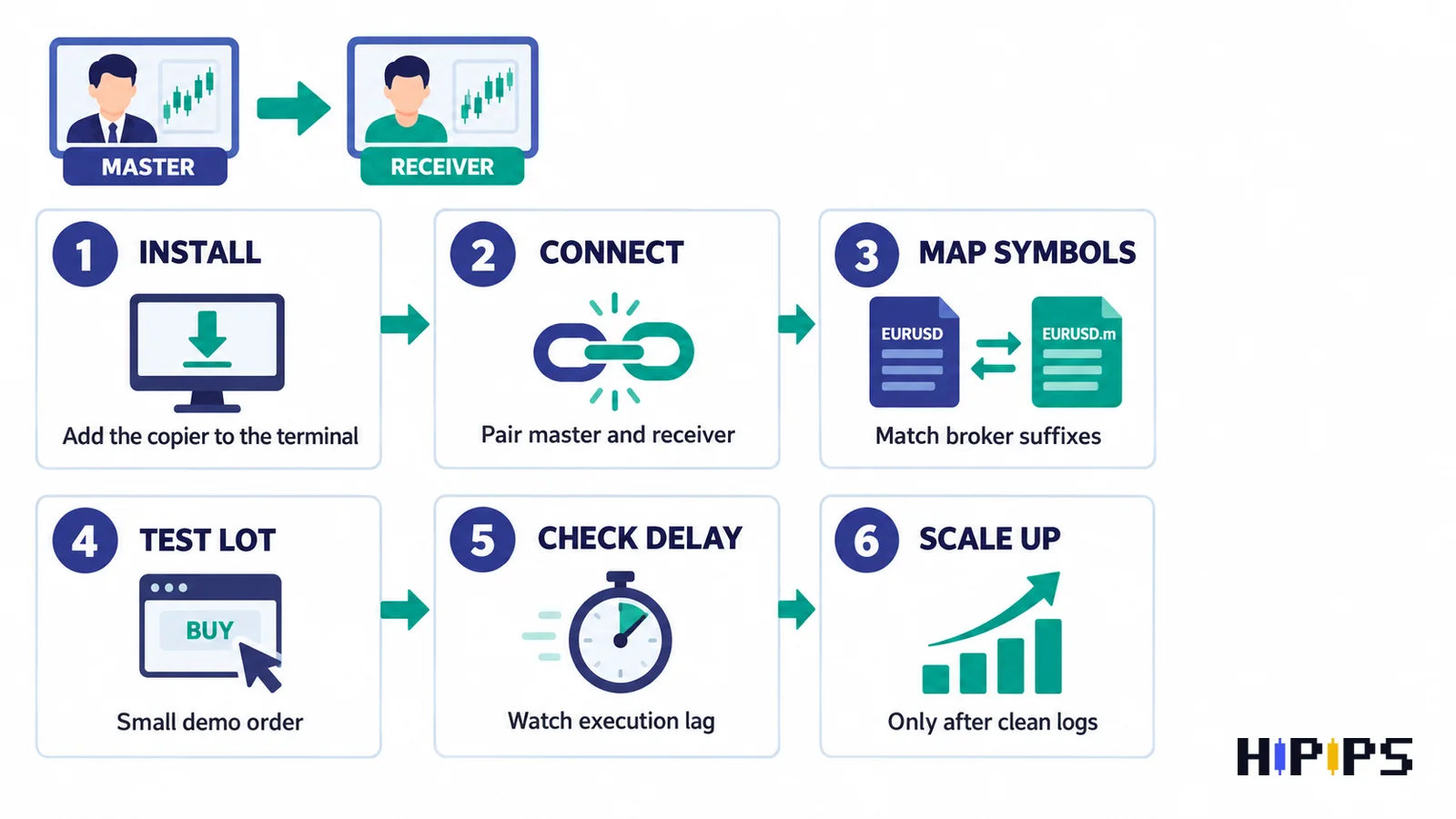
Related Checklist: MT4 Copy Trading Mistakes
Before copying trades live, review the new troubleshooting guide: MT4 Copy Trading Mistakes: Lot Multiplier, Broker Suffix, VPS and Risk Checklist. It supports the current MT4 copy trade cluster by covering lot multiplier, broker suffix mapping, VPS stability, max lot, demo logs, and account copier MT4 risk checks.

Quick Answer
The best MT4 copy trading software should let you copy trades from a master MetaTrader 4 account to one or more receiver accounts while controlling lot size, symbol mapping, maximum lot, stop loss behavior, and VPS stability. If you are comparing copier tools, start with the MT4 Copy Trade Copier hub and the product path for LOCAL TRADE COPIER MT4 + MT5.What MT4 Copy Trading Software Should Do
A copier is not the same as an Expert Advisor that creates new signals. MT4 copy trading software is execution infrastructure. It watches a master account and sends matching open, modify, and close actions to receiver accounts. That makes it useful when a trader already has a strategy, manual signal, or master EA and wants to replicate it across accounts.| Feature | Why it matters | Buyer check |
|---|---|---|
| Master and receiver mode | Defines where trades start and where they are copied | Confirm MT4-to-MT4 support and receiver limits |
| Lot multiplier | Scales trade size between accounts | Use conservative values for smaller accounts |
| Fixed lot mode | Forces copied trades to a set size | Useful when receiver balance differs from master |
| Symbol mapping | Handles broker suffixes like EURUSDm or XAUUSD.pro | Test every symbol family before live use |
| Max lot cap | Prevents oversized copied orders | Set account-specific caps |
| VPS compatibility | Keeps terminals online | Use a stable VPS for continuous copying |
| Logs and errors | Shows rejected or delayed copied orders | Review logs during demo testing |
Best Fit: Who Should Use an MT4 Copier?
- A trader who wants to copy manual trades from one MT4 account to another.
- A trader managing several accounts with different balances.
- A user who runs an EA on one master account and wants receiver accounts to follow.
- A trader who needs to separate a signal account from a lower-risk execution account.
- A buyer comparing account copier tools before choosing another trading robot.
When a Copier Is Better Than Buying Another EA
A copier is better when the signal already exists. If you already trade manually or already run an EA on one MT4 terminal, adding another signal robot may create strategy conflict. A copier lets the original signal remain on the master side while receiver accounts follow with their own risk settings. If the buyer does not have a master strategy yet, then a copier alone is not enough. In that case, compare the Expert Advisor collection or the MT4 product category before choosing copier infrastructure.Buyer Checklist Before You Copy Live Trades
- Read the main MT4 Copy Trade Copier hub to understand the full workflow.
- Use the step-by-step MT4 copier setup for installation sequence.
- Test on demo accounts before live funds.
- Check whether the master and receiver use the same broker symbol names.
- Choose fixed lot or a small lot multiplier before testing larger size.
- Set maximum lot, maximum spread, and account-specific limits where supported.
- Review VPS and latency risk controls if copying runs all day.
- Confirm open, modify, close, stop loss, take profit, and partial close behavior.
- Keep receiver risk lower than the master until trade logs are stable.
Comparison: MT4 Copier, Trade Assistant, and Expert Advisor
| Tool type | Best use | Product path |
|---|---|---|
| MT4 copy trading software | Copy trades between master and receiver accounts | LOCAL TRADE COPIER MT4 + MT5 |
| Trade assistant | Manual order management, faster execution support, and trade handling | Trade Assistant EA MT4 |
| Expert Advisor | Generate or manage trading entries from strategy rules | Expert Advisor category |
| Prop-firm style EA | Research automation candidates under strict drawdown rules | Expert Prop Firms EA MT4 + SetFiles |
Common Mistakes That Hurt Copy Trading Results
| Mistake | What can go wrong | Better approach |
|---|---|---|
| Using the same lot size on every receiver | Small receiver accounts can be overexposed | Start with fixed lot or reduced multiplier |
| Ignoring broker suffixes | Orders may fail or copy to the wrong symbol | Create a symbol mapping checklist |
| Copying high-speed scalping without VPS testing | Receiver entries may differ from master | Test latency and spread first |
| No max lot rule | One large master order can overload receivers | Set max lot and account caps |
| No log review | Errors stay hidden until losses appear | Review rejected orders and mismatches weekly |










