
XAUUSD Expert Advisor Broker Requirements: Spread, Stops Level, Suffix

Broker requirements matter to traders who already run, or plan to run, a gold Expert Advisor under real trading conditions. This guide is written for Hipips visitors who want a practical answer before buying from the Expert Advisor category, the MT5 category, or the MT4 category.
Quick Answer
Before running an XAUUSD EA, check average spread, commission, contract size, stop level, symbol suffix, trading hours, news spread and VPS stability. Broker differences can change robot behavior.
Buyer Checklist
| Check | What to confirm before buying |
|---|---|
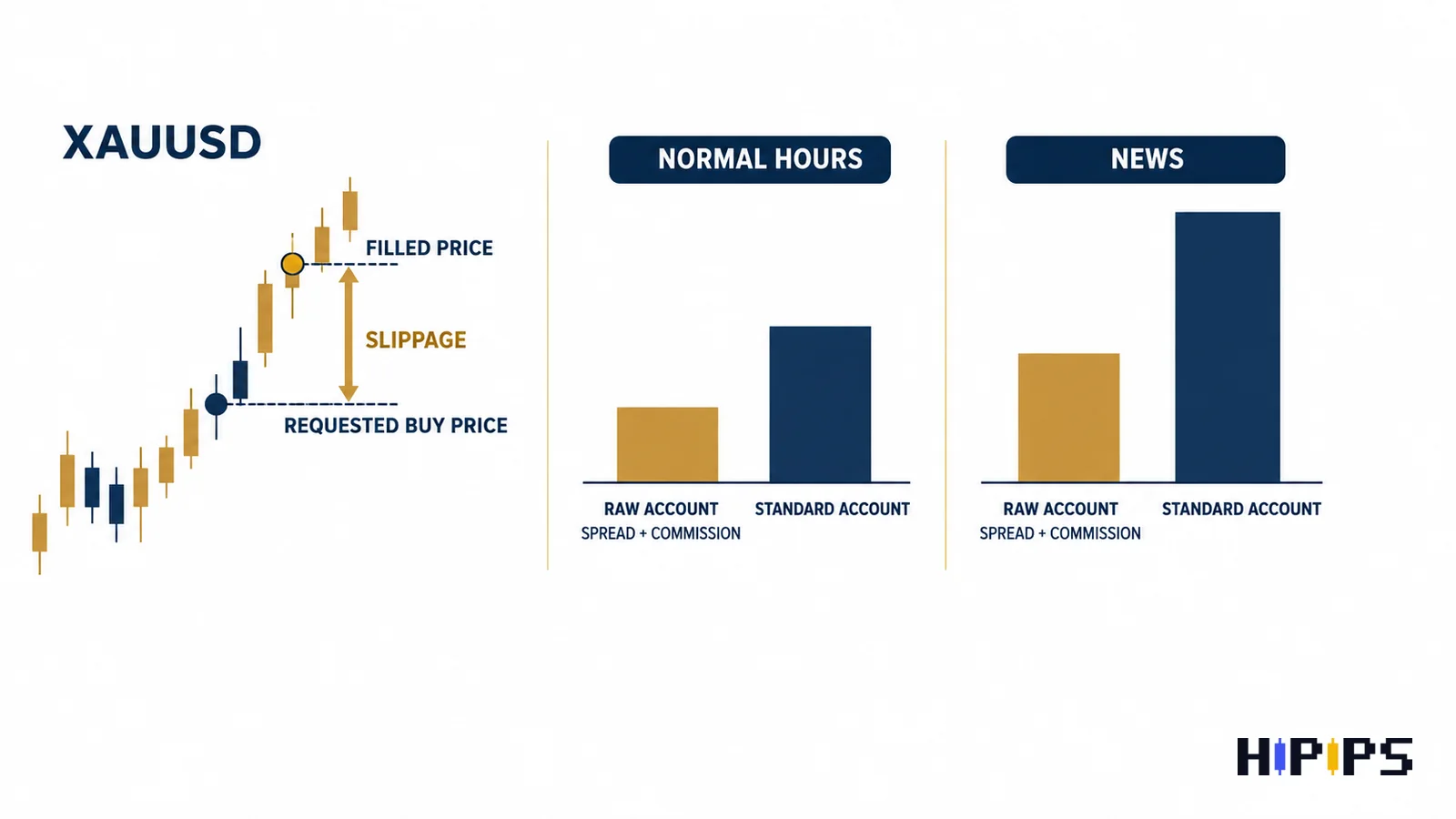
| Spread | Measure normal and news-session spread. |
| Contract size | Confirm tick value and lot value for Gold. |
| Stop level | Some EAs need tight stops or pending orders. |
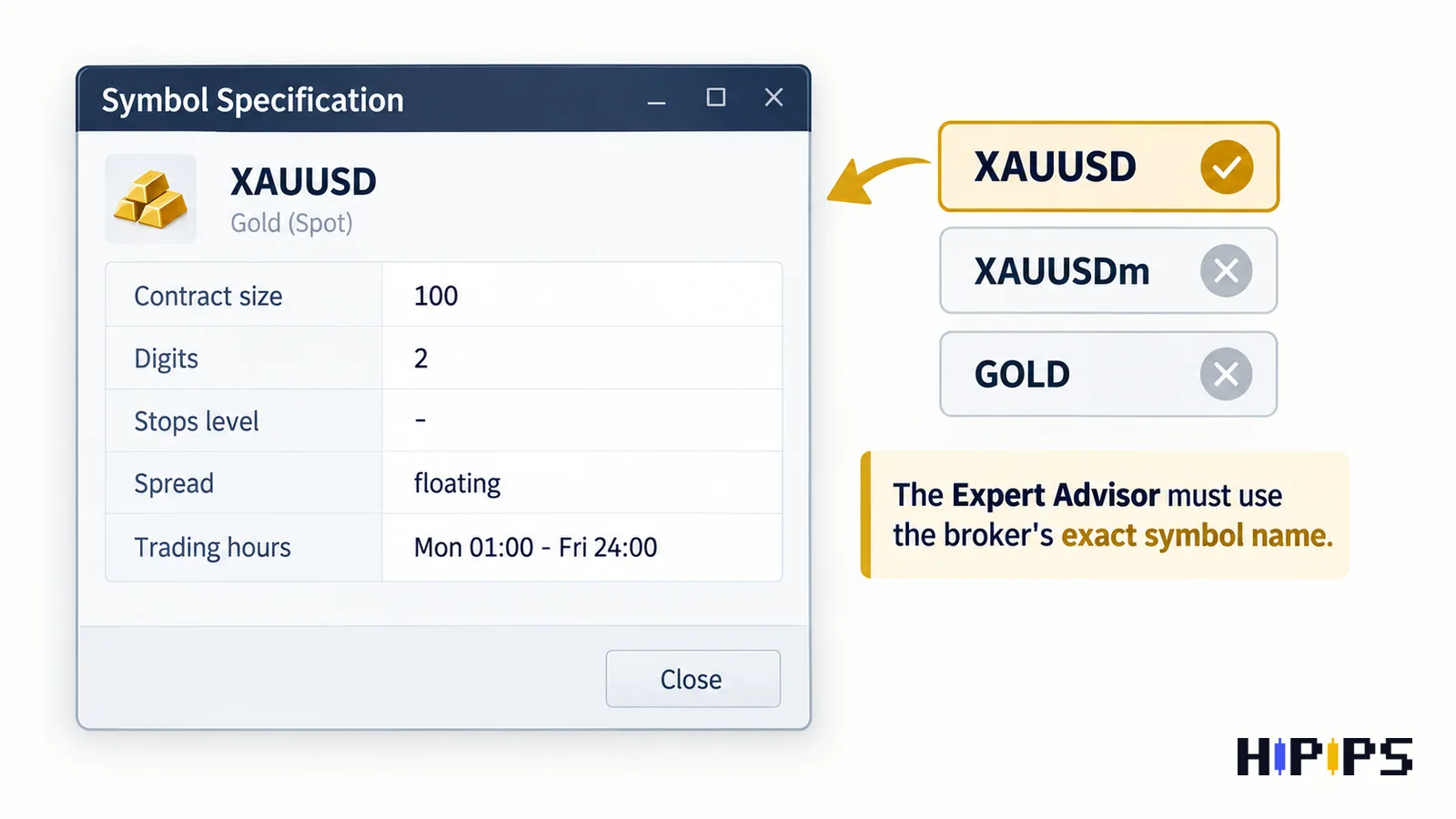
| Suffix | Map XAUUSD, GOLD, XAUUSDm or XAUUSD.pro correctly. |
Recommended Reading Path
- Expert Advisor category
- MT5 product category
- MT4 product category
- Best MT5 Expert Advisor guide
- EA backtesting before buying
- Forex EA risk settings
- XAUUSD EA MT5 hub
- Best XAUUSD EA guide
- Raw spread XAUUSD scalping guide
- Raw spread cent account guide
Why broker conditions matter more on Gold
Gold often moves faster than major forex pairs. A small execution difference can affect scalping, breakout and recovery logic. That is why product testing must happen on the same broker conditions the buyer intends to use.
- Measure spread during active sessions.
- Compare commission, swap and contract size.
- Check stop level before using tight stop strategies.
- Watch slippage around CPI, FOMC and NFP.
Symbol suffix and contract-size checks
A robot may expect XAUUSD, while the broker uses GOLD or XAUUSDm. Even when the chart loads, contract size can differ. This changes lot sizing and risk calculations.
- Open symbol specification in Market Watch.
- Confirm minimum lot and lot step.
- Check tick value and contract size.
- Map suffixes before copy trading or multi-symbol EAs.
Broker test before live use
The practical test is simple: run the EA on demo or cent/small-live conditions using the broker you will actually use. Compare fills, stops, spread and drawdown behavior with the product guide.
- Use the same VPS location planned for live trading.
- Record spread and execution during each test.
- Stop if orders are rejected or modified unexpectedly.
- Review results before increasing lot size.
Products to Compare on Hipips
Use this shortlist as a research path, not a promise that every product fits every account. Open each product page and verify platform, symbol, package files, setfiles, build compatibility, strategy type and risk controls before checkout.
| Product | Why compare it | Link |
|---|---|---|
| TwisterPro Scalper MT5 | Fast Gold scalping product for spread checks. | View product |
| Stable Gold Scalping EA MT5 | Direct Gold scalper comparison. | View product |
| Gold Killer V16 Pro EA MT5 | Gold product route to verify broker requirements. | View product |
| Galaxy AI Gold EA MT5 Setfile | Gold MT5 setfile product to test by broker. | View product |
| Gold House MT5 | Breakout/swing Gold comparison. | View product |
Final Recommendation
A buyer who understands the risk, platform and setup requirements is more likely to choose the right product and less likely to regret the purchase.
FAQ
What spread is good for a Gold EA?
It depends on strategy. Scalpers usually need tighter spread than swing or breakout systems.
Can symbol suffix break an EA?
It can if the EA or copier does not map the broker’s symbol name correctly.
Should I test on the same broker?
Yes. Broker conditions are part of the strategy environment.










