
Expert Advisor risk settings: lot size, drawdown and equity stop

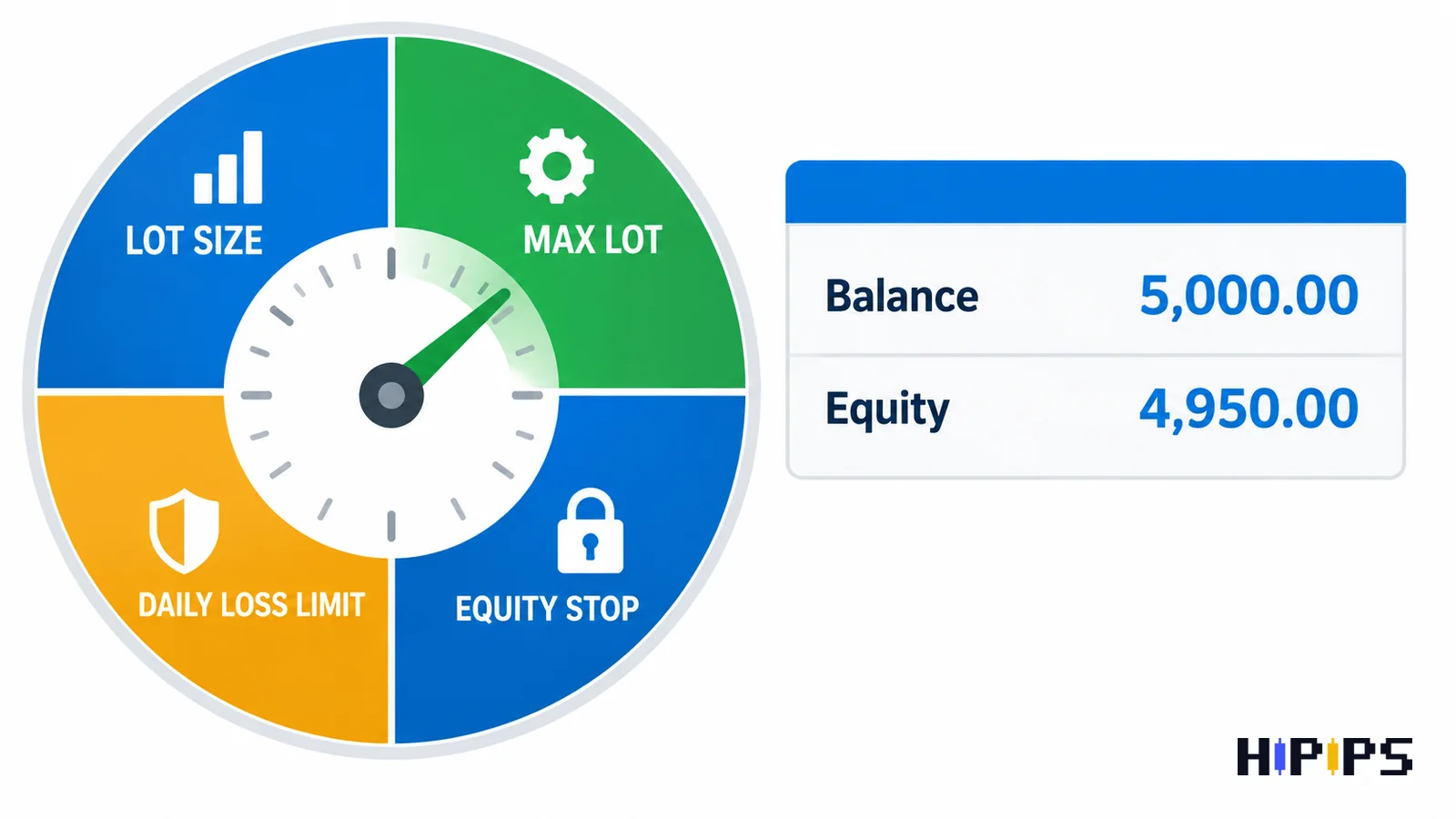
Expert Advisor risk settings are the inputs that cap how much an Expert Advisor can lose: lot size or risk percentage, stop loss, maximum lot, maximum open trades, daily loss limit and equity stop.
Leveraged forex and CFD trading can lose the whole deposit, and no input removes that risk. The settings decide how fast and how far a loss can grow. This guide explains each setting, gives the lot size formula with worked examples, shows how risk per trade turns into drawdown, defines drawdown the way MT5 reports it, and covers daily loss limits, equity stops, martingale exposure and leverage. This guide is part of the HiPips path to choose, test and run an MT4 or MT5 Expert Advisor, which starts with what an Expert Advisor is.
Which risk settings does an Expert Advisor have?
An Expert Advisor has two layers of risk settings: trade-level settings that limit one position, and account-level settings that limit the whole account.
Vendors name the inputs differently, and the table below lists the common ones. Check which ones your Expert Advisor has before running it, because a missing account-level setting leaves the broker’s stop out as the only limit.
| Risk setting | Level | What it limits |
|---|---|---|
| Fixed lot or risk percentage | Trade | Size of each new position |
| Stop loss | Trade | Loss of one position |
| Maximum spread | Trade | Entries during wide spreads |
| Maximum lot | Trade | Largest position, including recovery orders |
| Maximum open trades | Account | Number of positions and grid levels at once |
| Daily loss limit | Account | Loss within one trading day |
| Equity stop | Account | Total loss before the Expert Advisor closes everything |
| Lot multiplier | Trade | Growth of lot size after a loss (martingale) |
How to calculate lot size for an Expert Advisor
Lot size for an Expert Advisor equals the money you accept to lose on one trade divided by the loss one lot makes at the stop loss.
The formula is: lot size = (balance × risk per trade) ÷ (stop loss distance × value of that distance for 1 lot). The value per lot comes from the contract size in the symbol’s Specification window. Two worked examples are below.
- EURUSD: a $5,000 balance with 1% risk accepts a $50 loss. With a 100,000-unit contract, one pip (0.0001) is worth $10 per lot, so a 25-pip stop loses $250 per lot, and the lot size is 50 ÷ 250 = 0.20 lot.
- XAUUSD: the same $50 risk on a broker with a 100-ounce gold contract and a $5.00 stop distance loses 100 × 5 = $500 per lot, so the lot size is 50 ÷ 500 = 0.10 lot.
Round the result down to the symbol’s lot step, and check that it is at least the minimum lot. A risk-percentage input in the Expert Advisor runs this calculation on every trade; a fixed-lot input keeps the size constant while the balance changes, so its percentage risk grows after losses and shrinks after gains. Set a maximum lot even with a risk-percentage input, because a data error or a wide stop can otherwise produce an oversized order.
How much should an Expert Advisor risk per trade?
The right risk per trade for an Expert Advisor is the level that keeps its longest losing streak inside the drawdown the account owner accepts.
A losing streak compounds. The table below shows the drawdown after 10 losses in a row at three risk levels, and the gain needed afterwards to return to the starting balance.
| Risk per trade | Drawdown after 10 losses in a row | Gain needed to recover |
|---|---|---|
| 1% | 9.6% | 10.6% |
| 2% | 18.3% | 22.4% |
| 5% | 40.1% | 67.0% |
Risking 2% per trade turns 10 consecutive losses into an 18.3% drawdown that needs a 22.4% gain to recover. Whether that is too much depends on the Expert Advisor’s own history: the MT5 testing report lists maximal consecutive losses as the largest losing series and the number of trades in it, according to the MetaTrader 5 help on the testing report. Multiply the per-trade risk through that streak, add a margin for a longer streak on live data, and keep the result below the account’s drawdown limit. A funded account with a 5% daily loss rule allows fewer consecutive losses than a personal account, which the guide to prop firm Expert Advisor rules covers.
What does drawdown mean in an Expert Advisor report?
Drawdown in an Expert Advisor report is the fall of the account from a peak to the next low, and MT5 reports it for balance and for equity in three forms: absolute, maximal and relative.
The MetaTrader 5 testing report defines the three forms as follows, according to the MetaTrader 5 help on the testing report.
- Absolute drawdown: the difference between the initial deposit and the lowest level below it during the test.
- Maximal drawdown: the difference in deposit currency between the highest local value and the next lowest value.
- Relative drawdown: the same peak-to-low difference expressed as a percentage.
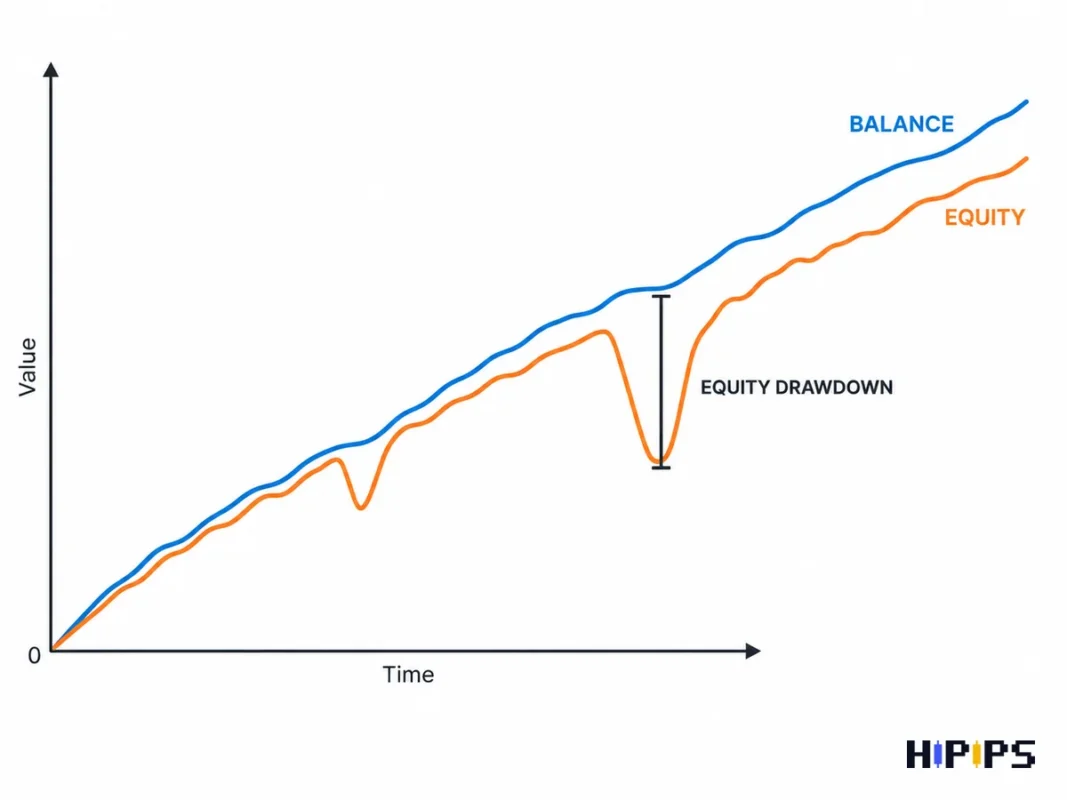
Equity drawdown matters more than balance drawdown for an Expert Advisor that holds positions through losses. Balance changes only when a trade closes, while equity includes floating losses, so a grid Expert Advisor with a small balance drawdown can hide a large equity drawdown in open positions. The recovery factor in the same report, the ratio of profit to maximum drawdown, shows how much drawdown the strategy needed to earn its profit.
How to set a daily loss limit and an equity stop
A daily loss limit stops an Expert Advisor from opening new trades after a set loss within one day, and an equity stop closes all positions when account equity falls to a set level.
The two limits work on different time scales. A $5,000 account with a 3% daily loss limit stops new entries after a $150 loss in the day and resumes the next day. The same account with an equity stop at $4,250 closes everything and stops after a 15% total drawdown, and it stays stopped until the trader reviews the Expert Advisor. Set the equity stop above the broker’s stop out level, because the broker closes positions on its own terms first: the margin call and stop out levels are properties of the trading account, set in percent or in deposit currency, according to the MQL5 account properties reference.
Place the limits where the Expert Advisor can act on them. An Expert Advisor checks its limits only while it runs, so a terminal that is offline cannot close positions at the equity stop, and forex VPS for Expert Advisors explains how to keep it online.
Stop loss vs equity stop: which one protects the account?
A stop loss protects the account from one bad trade, and an equity stop protects it from many trades going wrong together; an Expert Advisor that holds several positions needs both.
A stop loss closes one position at a planned price. An equity stop watches the sum of all open and closed results. An Expert Advisor without a stop loss per trade relies on the equity stop alone, which means every position runs to the account-level limit before anything closes. An Expert Advisor with stop losses and no equity stop can still lose far more than one stop’s worth when a grid of positions moves against the account together.
How martingale and grid settings multiply exposure
Martingale and grid settings multiply exposure because each new order adds volume while earlier orders are still losing, so floating loss grows faster than the price move.
The example below compares two eight-order grids on EURUSD with orders spaced 20 pips apart, each starting at 0.01 lot, with price 20 pips beyond the last order. The flat grid keeps 0.01 lot per order; the martingale grid doubles the lot on each order (multiplier 2.0).
| Grid type | Lot of the eighth order | Total volume | Floating loss |
|---|---|---|---|
| Flat grid, 0.01 lot each | 0.01 lot | 0.08 lot | $72 |
| Martingale grid, multiplier 2.0 | 1.28 lot | 2.55 lots | $1,004 |
The martingale grid carries about 14 times the floating loss of the flat grid for the same 160-pip move, and each additional level doubles the next order again. Maximum open trades, maximum lot and an equity stop are the three inputs that cap this growth; a recovery Expert Advisor without all three has no upper limit below the broker’s stop out. The recovery logic in detail is covered in martingale Expert Advisor risks, and the differences between the two recovery styles in grid vs martingale Expert Advisors.
Sellers advertise this logic often: in the 2020 MQL5 Market snapshot behind the forex robot statistics page, 34.2% of MT4 Expert Advisor descriptions mention martingale and 27.6% mention a grid.
How leverage and margin limit an Expert Advisor
Leverage sets how much margin one lot needs, so it limits how many positions an Expert Advisor can open before the account reaches margin call and stop out.
Retail leverage caps depend on the broker’s regulator. The European Securities and Markets Authority limits retail CFD leverage to 30:1 on major currency pairs and 20:1 on non-major pairs, gold and major indices, and requires brokers to close positions when margin falls to 50% of the required minimum, according to ESMA. In the United States, the National Futures Association requires a security deposit of 2% of notional value for major currencies (50:1) and 5% for other currencies (20:1), according to the NFA forex regulatory guide. Higher leverage lets an Expert Advisor open more volume on the same balance, which raises the loss per pip without changing the strategy.
Which risk settings matter most on a small account?
The minimum lot matters most on a small account, because it sets the smallest possible risk per trade. On a $500 account, a 0.01 lot EURUSD trade with a 25-pip stop risks $2.50 (0.5%), while a 0.01 lot XAUUSD trade on a 100-ounce contract with a $5.00 stop risks $5 (1%). A strategy with wider stops cannot reach 1% risk on that balance, and a cent account trades in smaller units; the guide to a cent account for scalping Expert Advisors explains the trade-offs. Gold strategies add wider stops and faster moves, and no-martingale gold Expert Advisors covers the low-drawdown options.
How to test risk settings before live trading
Risk settings are tested in three passes: a Strategy Tester run with the exact setfile, a demo run on the live broker’s symbols, and a small live run with the equity stop active. Read the equity drawdown, maximal consecutive losses and margin level from the tester report, and confirm that the daily loss limit and equity stop trigger in the log when they should. The guide on how to backtest an MT5 Expert Advisor lists the tester settings, and install an Expert Advisor and setfiles in MT5 shows where the risk inputs are loaded. Compare MT4 and MT5 Expert Advisors by the risk inputs they expose before choosing one to test.










