
Grid vs Martingale Expert Advisors: Recovery Risk Compared

Grid and martingale Expert Advisors attract traders with smooth equity curves, so their recovery risk needs a clear explanation next to safer alternatives. This guide is written for Hipips visitors who want a practical answer before buying from the Expert Advisor category, the MT5 category, or the MT4 category.
Quick Answer
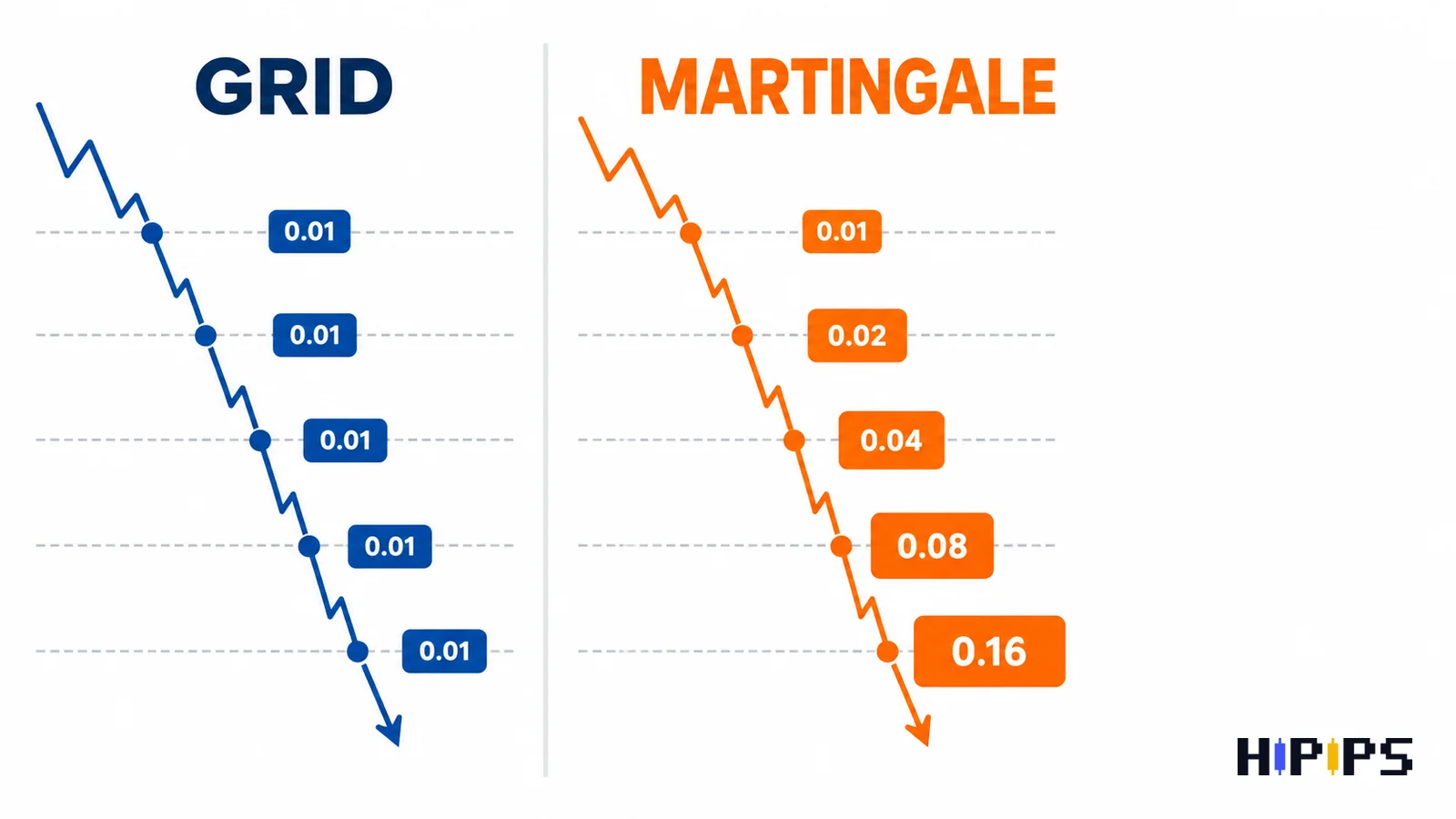
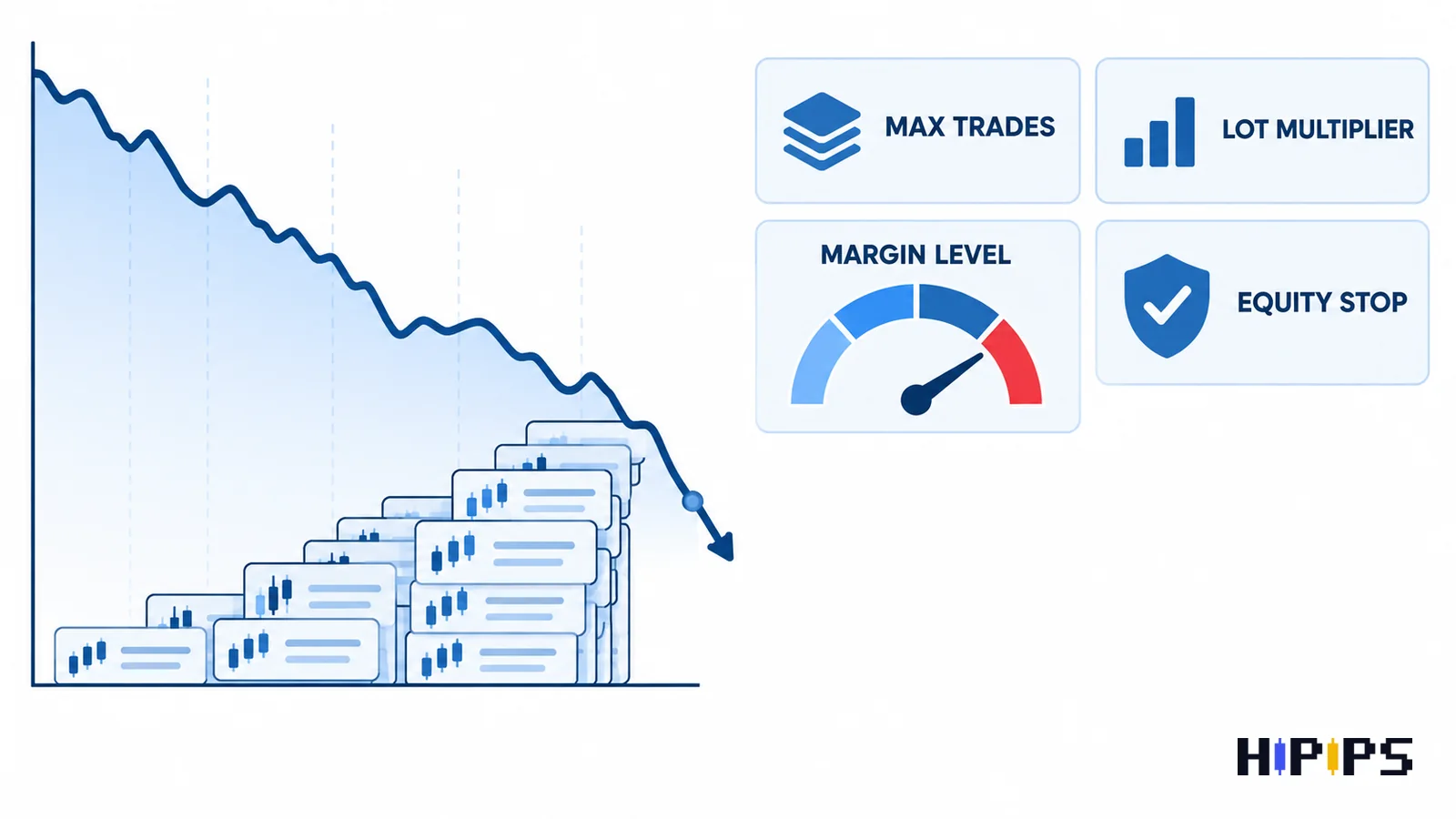
A grid EA spaces entries across price levels; a martingale EA increases lot size after losses. Some robots use both ideas, so buyers must inspect max trades, lot multiplier, equity stop and news behavior.
Buyer Checklist
| Check | What to confirm before buying |
|---|---|
| Lot multiplier | Check whether lots increase after losses and by how much. |
| Max open trades | Know the worst case before the sequence starts. |
| Equity stop | A recovery robot needs a clear account-level stop condition. |
| News behavior | Grid spacing can be stressed during fast moves. |
Recommended Reading Path
- Expert Advisor category
- MT5 product category
- MT4 product category
- Best MT5 Expert Advisor guide
- EA backtesting before buying
- Forex EA risk settings
- No-martingale Gold EA guide
What a grid EA does
A grid EA places multiple trades at different price levels. It can look controlled in a ranging market, but it becomes stressful when price trends strongly against the basket.
- Check grid distance and max layers.
- Review whether positions are hedged or one-directional.
- Test trending periods, not only quiet ranges.
- Watch margin usage as the basket expands.
What martingale adds to the risk profile
Martingale logic increases position size after losses. That can recover faster in some conditions, but it can also expand drawdown faster than a user expects.
- Find the exact multiplier in the inputs.
- Check whether lot escalation can be disabled.
- Run backtests with realistic spread and slippage.
- Avoid small accounts unless the risk limit is very clear.
Safer recovery robot testing workflow
The safest evaluation is to stress test the worst periods, not the best curve. Test long trends, gold news days, low-liquidity sessions and spread widening.
- Use conservative lot size during first tests.
- Limit max trades before optimization.
- Check margin level during basket expansion.
- Compare no-martingale alternatives before checkout.
Products to Compare on Hipips
Use this shortlist as a research path, not a promise that every product fits every account. Open each product page and verify platform, symbol, package files, setfiles, build compatibility, strategy type and risk controls before checkout.
| Product | Why compare it | Link |
|---|---|---|
| Burning Grid EA MT5 | A direct grid-style product page to verify carefully. | View product |
| V4 Grid Bot MT5 | Useful for grid bot comparison and max trade checks. | View product |
| Veerox Hedging EA | A hedging/recovery comparison path. | View product |
| Royal Hedge Fund EA | A recovery-style shortlist candidate to verify. | View product |
| FX Stabilizer Pro EA MT4 | A popular stability-focused comparison product. | View product |
Final Recommendation
A buyer who understands the risk, platform and setup requirements is more likely to choose the right product and less likely to regret the purchase.
FAQ
Is grid the same as martingale?
No. Grid describes entry spacing; martingale describes lot escalation. Some robots combine both.
Are recovery robots bad?
Not automatically, but they require strict drawdown, margin and exposure checks.
What is the first setting to inspect?
Start with lot multiplier, max trades, equity stop and max spread.










