
How to Backtest a Forex EA Before Buying: MT4/MT5 Strategy Tester, SetFiles and Forward Test Checklist

Quick Answer
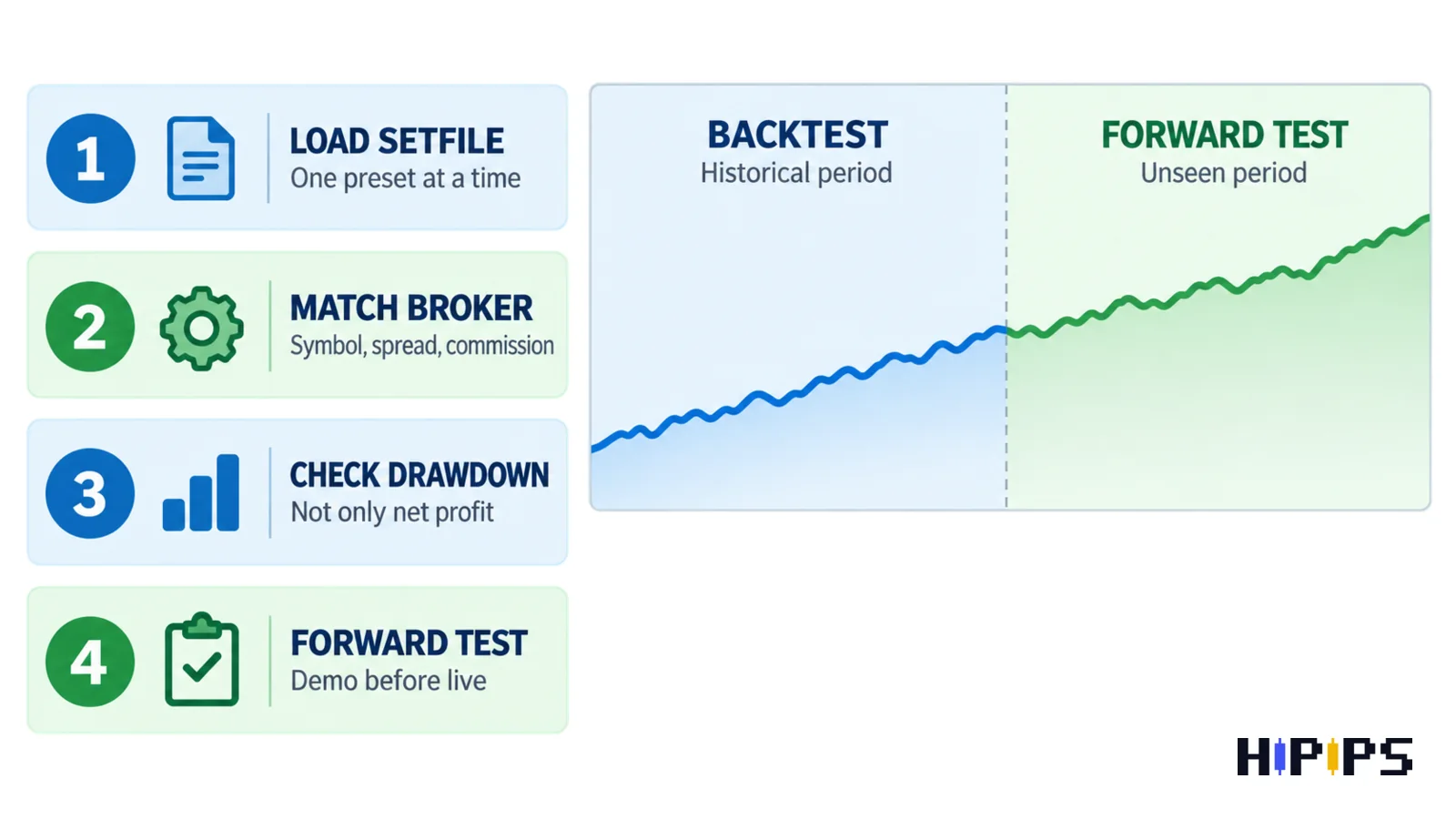
To backtest a forex EA before buying, run the robot in MT4 or MT5 Strategy Tester with the correct symbol, timeframe, date range, spread, commission, and setfile. Then compare net profit with drawdown, number of trades, recovery behavior, and the equity curve. A backtest is only the first filter; a demo forward test on the same broker conditions is still needed before live use.
This topic is important for HiPips buyers because many people search for Expert Advisors, setfiles, XAUUSD robots, and MT4/MT5 trading bots after seeing a strong chart. The better decision is to check whether the EA survives realistic testing before treating it as a serious product candidate.
| Buyer question | What to check | Best HiPips next step |
|---|---|---|
| Is this EA worth testing? | Platform, file type, symbol, timeframe, and strategy style | Browse Expert Advisors |
| Does the setfile fit my broker? | Spread, commission, suffix, account size, and lot size | Read the MT5 EA with setfiles guide |
| Can I use it for gold? | XAUUSD behavior, session risk, news, and drawdown | Compare XAUUSD EA MT5 options |
MT4 vs MT5 Backtesting: Choose The Correct Platform First
An EA must be tested on the platform it was built for. MT4 products use MT4 files and the MT4 Strategy Tester. MT5 products use MT5 files and the MT5 Strategy Tester. The platforms are not interchangeable, so a buyer should confirm platform support before comparing results.
| Platform | Use it when | Next Step |
|---|---|---|
| MT4 | The product package is EX4, MQ4, or clearly labeled for MetaTrader 4. | MT4 forex robots |
| MT5 | The product package is EX5, MQ5, or clearly labeled for MetaTrader 5. | MT5 Expert Advisors |
| XAUUSD hub | The strategy is designed for gold, especially scalping, breakout, or recovery logic. | XAUUSD EA MT5 |
MetaTrader’s own documentation describes the Strategy Tester as a tool for testing Expert Advisors with historical data before real market use, and MT5 also supports optimization and forward testing. That matters because a buyer should not judge an EA only by screenshots or short marketing claims.
Step-By-Step: How To Backtest A Forex EA Before Buying
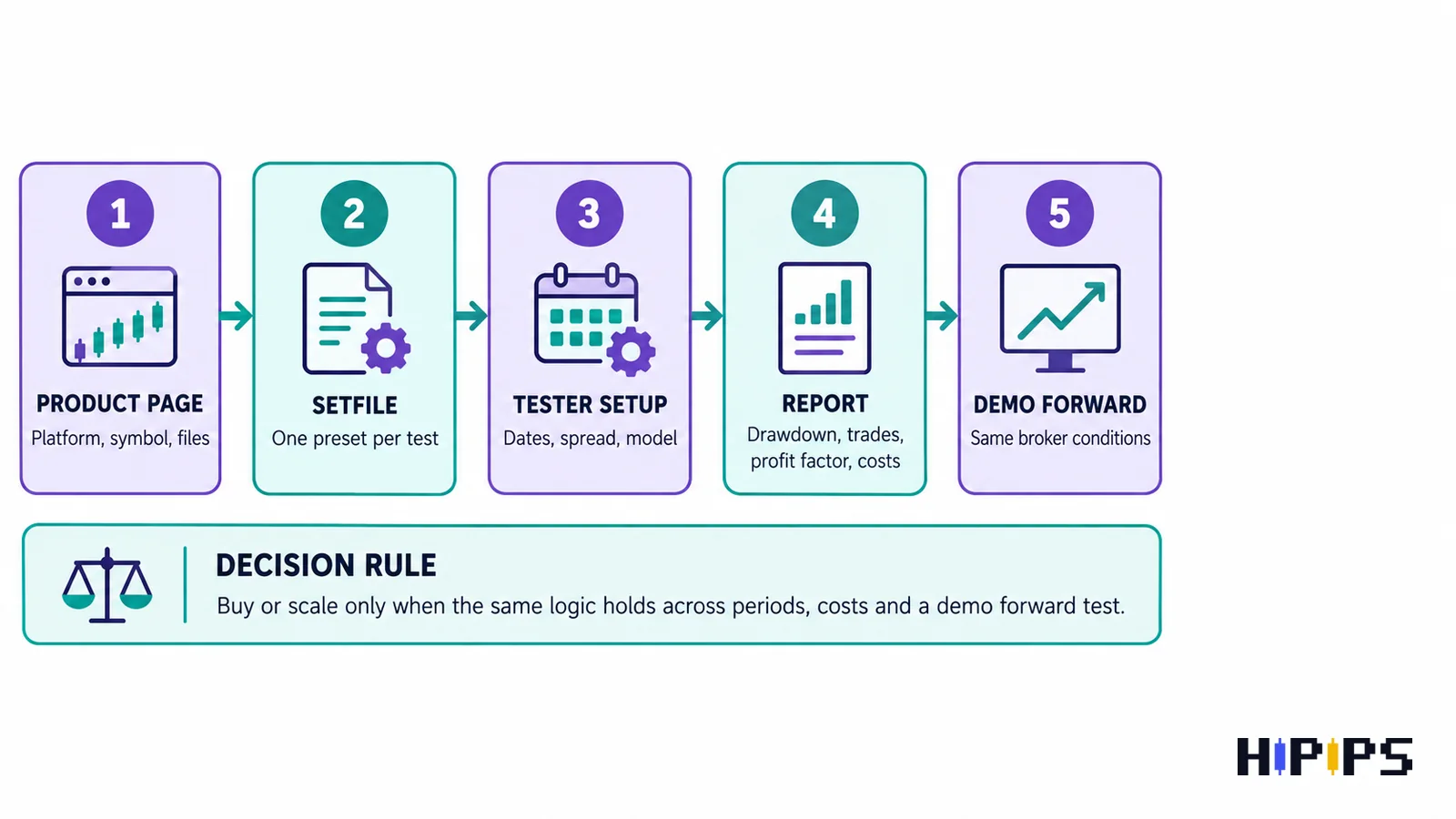
- Open the product page and write down platform, symbol, timeframe, build compatibility, file type, and whether setfiles are included.
- Install the EA in a clean MT4 or MT5 test terminal, not your main live terminal.
- Select the exact symbol the product expects, such as XAUUSD, EURUSD, GBPUSD, indices, or crypto.
- Load one setfile at a time. Do not mix multiple presets in one result.
- Choose a realistic date range that includes calm markets, volatile periods, and recent data.
- Set spread, commission, leverage, deposit currency, and lot size close to your broker conditions.
- Run the test and review drawdown, trade count, profit factor, average win/loss, recovery behavior, and equity curve.
- Repeat with another date range before trusting the first result.
- Run a demo forward test before using the EA on a live account.
SetFiles: Test Presets As Starting Points, Not Magic Settings
Setfiles are useful because they save input parameters such as lot sizing, session filters, stop settings, recovery rules, symbol settings, and strategy toggles. They reduce installation friction, but they do not remove risk. A setfile built for one broker, spread, or account size may behave differently elsewhere.
- Backtest one setfile per run so you know which preset produced which result.
- Keep the original setfile untouched and save copies for changes.
- Document symbol, timeframe, spread, deposit size, leverage, and date range.
- Reject a setfile if it only works by increasing lot size beyond your risk limit.
- Use demo forward testing to check whether the preset still behaves correctly outside historical data.
Backtest vs Forward Test: Why You Need Both
A backtest checks how an EA would have behaved on historical data. A forward test checks how it behaves after the settings were selected. MT5 documentation specifically includes a forward-testing option that splits the period so selected parameters can be checked on a separate interval. In plain buyer language: backtest helps you shortlist; forward test helps you avoid curve-fitted settings.
| Test type | What it proves | What it does not prove |
|---|---|---|
| Backtest | The EA logic can be replayed against historical market data. | It does not guarantee future performance or live execution quality. |
| Optimization | Different input combinations can be compared. | It can overfit if you only choose the prettiest result. |
| Forward test | The chosen settings can be observed on unseen or live-demo conditions. | It still needs enough time and trades to be meaningful. |
Spread, Slippage, Commission And Broker Conditions
Many weak EA reviews ignore trading costs. That is a mistake, especially for scalping EAs, XAUUSD systems, and robots that take frequent trades. A result that looks profitable with perfect spread can become much weaker when commission, slippage, and broker execution are included.
If the product is a gold scalper, also read the raw spread account for XAUUSD scalping EA guide. If the product is a recovery or high-lot strategy, read the Forex EA risk settings guide before increasing lot size.
Drawdown Matters More Than A Beautiful Profit Curve
A backtest should not be judged by total profit alone. The same ending balance can hide very different risk. One EA may grow slowly with small drawdown. Another may reach the same profit only after deep floating loss, recovery layers, or oversized lot progression. The second result may look impressive but be harder to use in real accounts.
- Check max balance drawdown and equity drawdown separately when available.
- Watch the largest losing sequence and the time needed to recover.
- Look for trade clustering around news or illiquid sessions.
- Be careful with martingale, grid, or recovery settings if drawdown is not clearly controlled.
- Reject tests where the lot size is unrealistic for the deposit.
Green, Yellow And Red Signals Before You Buy
| Signal | Meaning | Action |
|---|---|---|
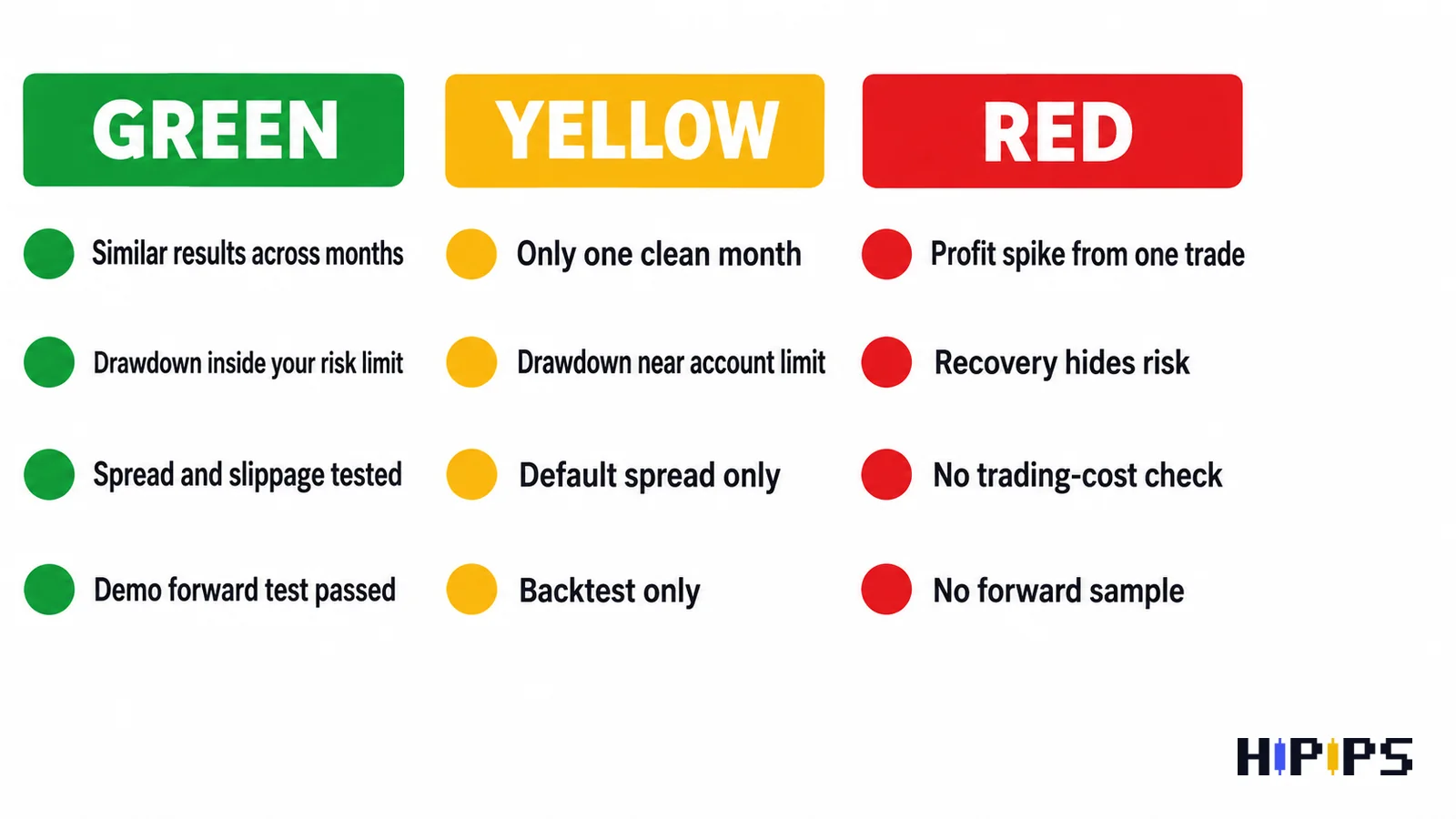
| Green | The EA holds up across multiple date ranges, costs, and a demo forward test. | Shortlist it and compare price/support. |
| Yellow | The EA looks good in one test but is sensitive to spread, date range, or setfile choice. | Keep testing before buying or scaling. |
| Red | Profit depends on one period, one oversized trade, hidden recovery, or unrealistic trading costs. | Avoid or ask for clearer evidence. |
A cautious buyer does not only want hype. They want to see platform, symbol, strategy, setfiles, build compatibility, risk controls, and setup notes in one place.
EA Products To Compare After Backtesting Research
Use the table below as a research path, not as a performance promise. Always open the current product page and verify files, setfiles, build support, symbol, and installation requirements before purchase.
| Product | Best comparison angle | Link |
|---|---|---|
| Private EA MT5 | MT5 setfile-based buyer intent | View product |
| CAPITAL X EA MT5 | MT5 setfiles and NoDLL-style research | View product |
| DIABLO EA MT5 | XAUUSD MT5 robot with setfiles | View product |
| TwisterPro Scalper MT5 | Gold scalping and spread-sensitive testing | View product |
| BB Return MT5 | Mean-reversion/Bollinger-style gold comparison | View product |
| Gold House MT5 | Gold breakout/swing comparison | View product |
| Currency Pros Breakout EA MT5 | Breakout strategy and setfile testing | View product |
Final Buying Checklist
- Confirm platform: MT4 or MT5.
- Confirm market: XAUUSD, forex pairs, indices, or crypto.
- Confirm strategy style: scalping, grid, trend, breakout, recovery, or single-entry.
- Confirm whether setfiles are included.
- Check build compatibility and installation requirements.
- Backtest with realistic broker costs.
- Forward test on demo before live use.
- Use conservative lot size until the EA proves stable under your conditions.
A good next step is to compare the best MT5 Expert Advisor guide, the best XAUUSD EA guide, and the no martingale gold EA guide before choosing a product. This gives buyers a clearer research path and gives buyers a safer path from learning to checkout.
FAQ
Can a backtest prove that a forex EA will make money?
No. A backtest can show how an EA behaved on historical data, but it cannot guarantee future returns, live execution, or broker conditions. Use it as a filter, not a promise.
Should I optimize an EA before buying?
Optimization can help compare settings, but it can also create curve fitting. If you optimize, keep a separate forward-test period and avoid choosing settings only because one chart looks perfect.
How long should I forward test a forex robot?
Use enough time to see normal market conditions, spread changes, and a meaningful number of trades. For slow EAs, a few days may not be enough. For fast scalpers, watch both trade count and cost sensitivity.
Are MT4 and MT5 backtests the same?
No. MT4 and MT5 use different platforms, file types, tester features, and product compatibility. Test the EA on the exact platform required by the product package.










7 thoughts on “How to Backtest a Forex EA Before Buying: MT4/MT5 Strategy Tester, SetFiles and Forward Test Checklist”