
How to verify a forex robot before buying: Myfxbook and backtest checks

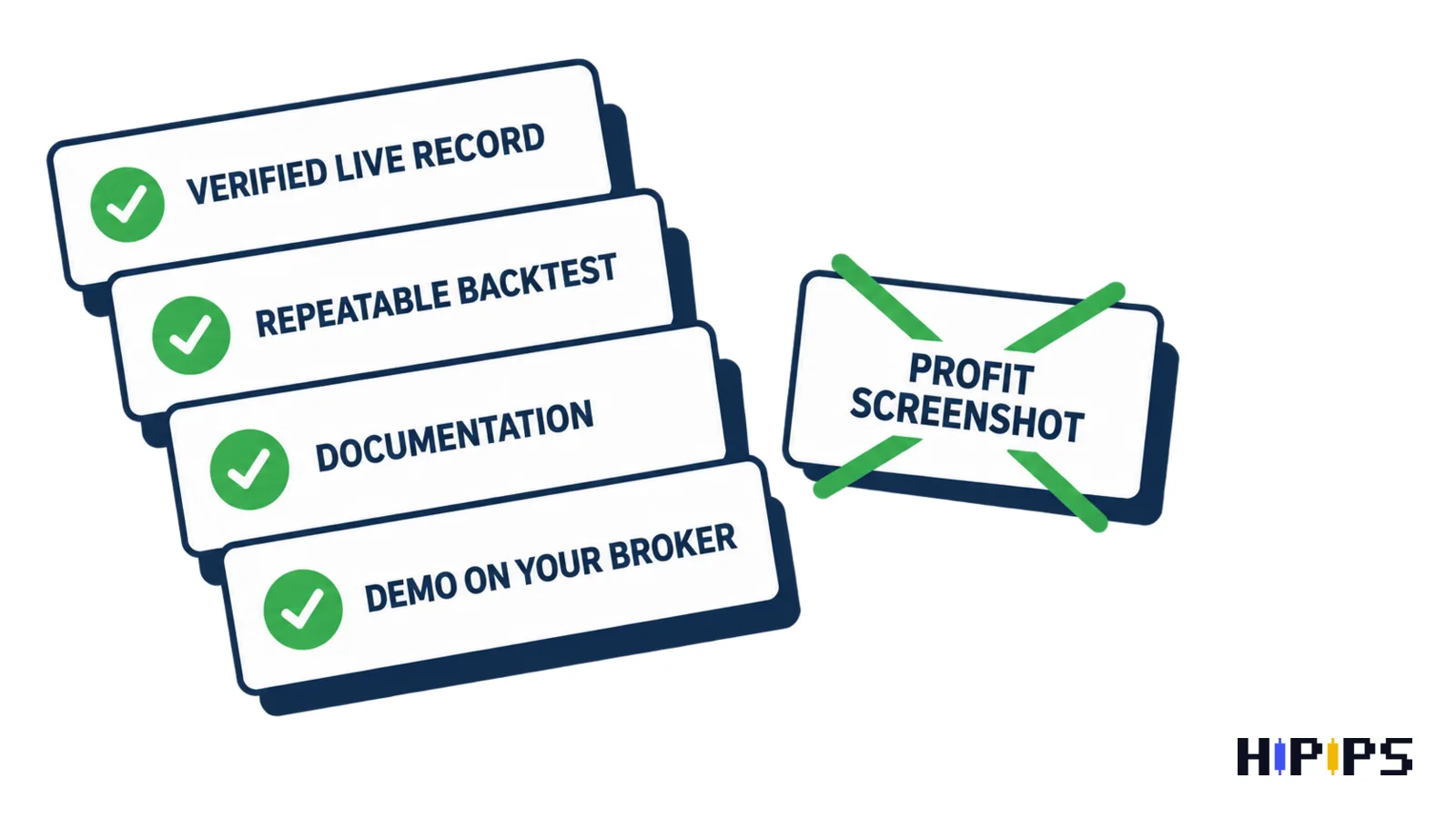
Verifying a forex robot before buying means checking four kinds of evidence yourself: a verified live trading record, a backtest you can repeat, the vendor’s documentation, and a demo run on your own broker.
A profit screenshot or a smooth equity curve on a sales page proves nothing on its own, because nobody outside the vendor can check where it came from. This guide shows how to read a live track record, how to judge and repeat a vendor’s backtest, what the documentation must state, which red flags mean the claims are not verified, and how to run the final demo test. This guide is part of the HiPips path to choose, test and run an MT4 or MT5 Expert Advisor, which starts with what an Expert Advisor is.
What does verifying a forex robot mean?
Verifying a forex robot means replacing the vendor’s claims with evidence you can check: records held by a third party, tests you can run, and behaviour you observe on your own account.
A forex robot for MetaTrader is an Expert Advisor, an .ex4 or .ex5 program that trades by coded rules. Its results depend on the strategy, the broker’s prices and the risk settings, so a result is only evidence when you know all three. The four checks below answer different questions, and a robot passes only when all four agree.
| Evidence | Question it answers | Who controls it |
|---|---|---|
| Verified live record | Did the robot trade this way on a real account? | A third-party monitoring service |
| Repeatable backtest | Do the rules hold on history you choose? | You, in the Strategy Tester |
| Documentation | What does the robot need and how does it limit risk? | The vendor, checked by you |
| Demo forward test | Does it behave the same on your broker today? | You |
How to check a Myfxbook or other live track record
A live track record counts as evidence only when a third-party service confirms that the history comes from the broker and that the person publishing it controls the account.
Myfxbook shows two separate labels for this. “Track Record Verified” means the trading history on the page matches the history Myfxbook downloads from the broker, and “Trading Privileges Verified” means the person who added the account proved control of its master password, according to Myfxbook’s verification help. A record with only one label, or with neither, is a statement by the vendor, not a verified record. The checks for the record itself are listed below.
- Account type: a real account; a demo record shows the strategy, not real fills.
- History length: months across different market conditions, not a few weeks of one trend.
- Equity and drawdown: the equity curve and maximum drawdown next to the balance curve; a smooth balance with deep equity dips points to open losing positions held until they recover.
- Deposits and withdrawals: large deposits during losing periods hide losses in the growth figure.
- Trade count: enough trades for the figures to mean something.
- Match with the product: the same symbols, timeframe and lot logic as the setfile you would buy.
Drawdown matters more than return, because it tells you what the robot costs in a bad month. Compare the record’s maximum equity drawdown with the loss your account can take; the guide to Expert Advisor risk settings shows how risk per trade turns into drawdown.
How to judge a vendor’s backtest
A vendor’s backtest is useful when it states the test conditions in full and the report shows equity drawdown, trade count and a result that holds across periods.
The report conditions to look for are listed below.
- Platform, symbol, timeframe and test period, with dates.
- Modelling mode: real ticks or every tick, rather than open prices only for a strategy that trades inside bars.
- Spread, commission and execution delay used in the test.
- Initial deposit and the lot or risk settings of the setfile on sale.
- Equity drawdown, profit factor, trade count and the longest losing streak.
A backtest that shows only a rising line, starts at an unusual date, or uses settings different from the product’s setfile tells you what the vendor chose to show. Overfitting is the common failure: inputs tuned to one period produce a perfect curve that breaks on the next. The metric definitions and how to read them are explained in the guide on how to choose an MT5 Expert Advisor.
How to repeat the backtest yourself
Repeating the backtest yourself means running the same Expert Advisor and setfile in your own Strategy Tester, on your broker’s data, over a period the vendor did not choose.
MT5 tests with “Every tick based on real ticks” and a random execution delay give the closest match to live trading, and the forward period option keeps the last part of the history for checking settings the tester has not seen. Run the vendor’s period first to confirm you get the same result, then extend the dates. A result that matches on the vendor’s dates and collapses on yours is overfitted. The tester settings step by step are in the guide on how to backtest an MT5 Expert Advisor, and the signs of curve fitting in MT5 Expert Advisor optimization.
What should a forex robot’s documentation state?
A forex robot’s documentation should state what the robot needs and how it limits risk: platform and build, symbols and timeframe, strategy type, risk inputs, setfiles, broker conditions and permissions.
Missing documentation is itself a result of the check. A vendor who does not say whether the robot uses grid or martingale recovery, or which input caps the lot size, leaves you to find out on a live account. Gold robots add contract-size and stops-level questions, which the guide on how to choose an XAUUSD Expert Advisor lists.
Which red flags mean a forex robot is not verified?
A forex robot is not verified when its evidence depends on claims you cannot check: guaranteed or no-risk returns, win rates near a hundred percent, screenshots instead of third-party records, or hidden losing periods.
The US Commodity Futures Trading Commission warns that fraudsters promote trading bots with claims of returns of tens of thousands of percent or 100 percent “win” rates, and cites a bot scheme in which about 23,000 victims lost nearly 30,000 bitcoins, according to the CFTC customer advisory on trading bots. The red flags are listed below.
- Guaranteed, no-risk or fixed monthly returns.
- A win rate close to a hundred percent: holding losing trades open keeps the win rate high while equity drawdown grows, so ask how losses are closed.
- Only screenshots or video, no link to a verified record.
- A live record without equity drawdown, or with deposits added during losses.
- No stop loss and no statement of the recovery logic.
- Settings in the record that differ from the setfile on sale.
- Pressure to buy before you can test, or a refusal to name the platform and build.
One red flag is a reason to ask the vendor; several together mean the claims are not verified, whatever the price.
How to run a demo forward test before trusting a forex robot
A demo forward test runs the robot on your broker’s live prices with the exact setfile and a demo balance equal to your planned account, for long enough to see its normal losing periods.
Compare the demo results with the backtest week by week: trade frequency, average win and loss, and drawdown should sit in the same range. Keep a short log of each session: spread, slippage on entries, rejected orders and the Experts tab messages. A demo that trades far more or far less than the backtest points to a spread, symbol or time-zone difference, and the log shows which. Move to a small live account only after the demo matches, and keep the equity stop active there.
Are forex robots real or fake?
Forex robots are real software, and the question is whether a given robot’s claims are real. An Expert Advisor executes its coded rules exactly, so its results reflect its strategy and settings, which is why the four checks above decide more than any label. The broader question of what automation can and cannot do is covered in the guide on whether forex robots work.
Buyer feedback is thin on most listings: in a 2020 snapshot of 2,098 MT4 Expert Advisors on MQL5 Market, 90.2% had no buyer reviews. The forex robot statistics page lists this figure with regulator and marketplace data and their sources.
Can you verify a forex robot for free?
You can verify a forex robot without paying for anything: public Myfxbook pages cost nothing to read, the Strategy Tester comes with MT4 and MT5, and brokers give demo accounts. The only cost is time, which is small next to the cost of running an unverified robot on a live account. Compare MT4 and MT5 Expert Advisors against these checks before choosing one to test.










