
Bitcoin Expert Advisor for MT5: BTCUSD contract, weekend hours, spread and risk

A Bitcoin Expert Advisor for MT5 is an Expert Advisor that trades the BTCUSD CFD on a MetaTrader 5 account, and it needs its own checks because BTCUSD differs from forex pairs in contract size, trading days, spread, swap and leverage.
A forex Expert Advisor moved to a BTCUSD chart without new settings uses stops, lots and session hours built for another market. This guide explains how to find Bitcoin in MT5, how BTCUSD differs from forex, how to size lots on each contract size, how weekend hours and gaps affect an Expert Advisor, what to check in spread and swap, which strategy types fit, and how to test before live trading. This guide is part of the HiPips path to choose, test and run an MT4 or MT5 Expert Advisor, which starts with what an Expert Advisor is.
Can you trade Bitcoin on MT5?
You can trade Bitcoin on MT5 when your broker offers cryptocurrency CFDs on your account type, and the symbol appears in Market Watch as BTCUSD or under the broker’s own name for it.
Brokers name the Bitcoin symbol BTCUSD, BTCUSD with a suffix, or Bitcoin. All symbols of an account appear in the Market Watch symbols list, where a double-click or the Show button adds a hidden one, according to the MetaTrader 5 help on Market Watch. A Bitcoin symbol that is absent from the list is not offered on that account, and the broker’s account pages show which account types include crypto CFDs.
How does BTCUSD differ from forex pairs for an Expert Advisor?
BTCUSD differs from forex pairs in five settings that change an Expert Advisor’s risk: contract size, trading days, leverage limit, spread measured in dollars, and swap.
Contract size varies between brokers more on crypto than on forex: one standard lot of BTCUSD can hold 1 bitcoin at one broker and several bitcoins at another, and only the symbol’s Specification window shows the value for your account. Trading days differ as well. IC Markets offers cryptocurrency CFDs 7 days a week on all its platforms, notes that some symbols may not be available on weekends, and points traders to the platform for detailed trading sessions, according to its cryptocurrency CFD page. ESMA limits retail leverage on cryptocurrency CFDs to 2:1, against 30:1 on major currency pairs, according to ESMA. The table below compares the two markets.
| Property | EURUSD | BTCUSD |
|---|---|---|
| Standard contract | 100,000 euros | Set by the broker (1 BTC or more per lot) |
| Trading days | Monday to Friday | Up to 7 days, with broker pauses |
| EU retail leverage cap | 30:1 | 2:1 |
| Spread unit | Fractions of a pip | Dollars per bitcoin |
| Symbol names | EURUSD, EURUSD.pro | BTCUSD, BTCUSD.m, Bitcoin |
Read contract size, digits, trading sessions and swap for BTCUSD in the Specification window (right-click the symbol in Market Watch) before loading any setfile.
How to size lots for a BTCUSD Expert Advisor
Lot size for a BTCUSD Expert Advisor equals the money accepted as a loss on one trade divided by the loss of one lot at the stop, and the loss of one lot depends on the broker’s contract size.
A worked example with a $5,000 account and 1% risk ($50) is below.
- 1-BTC contract: a $1,000 stop distance in the bitcoin price loses $1,000 per lot, so the lot size is 50 ÷ 1,000 = 0.05 lot.
- A broker with a 10-BTC contract (example value): the same 0.05 lot holds 0.5 BTC, so the same $1,000 stop loses $500, which is 10% of the account instead of 1%.
A setfile built on a 1-BTC broker carries ten times the risk on a 10-BTC broker with the same lot input. A risk-percentage input that reads the contract size from the symbol avoids this error, and a fixed-lot input needs recalculating for each broker. The lot formula and the drawdown effect of a losing streak are explained in Expert Advisor risk settings.
How do weekend hours and gaps affect a Bitcoin Expert Advisor?
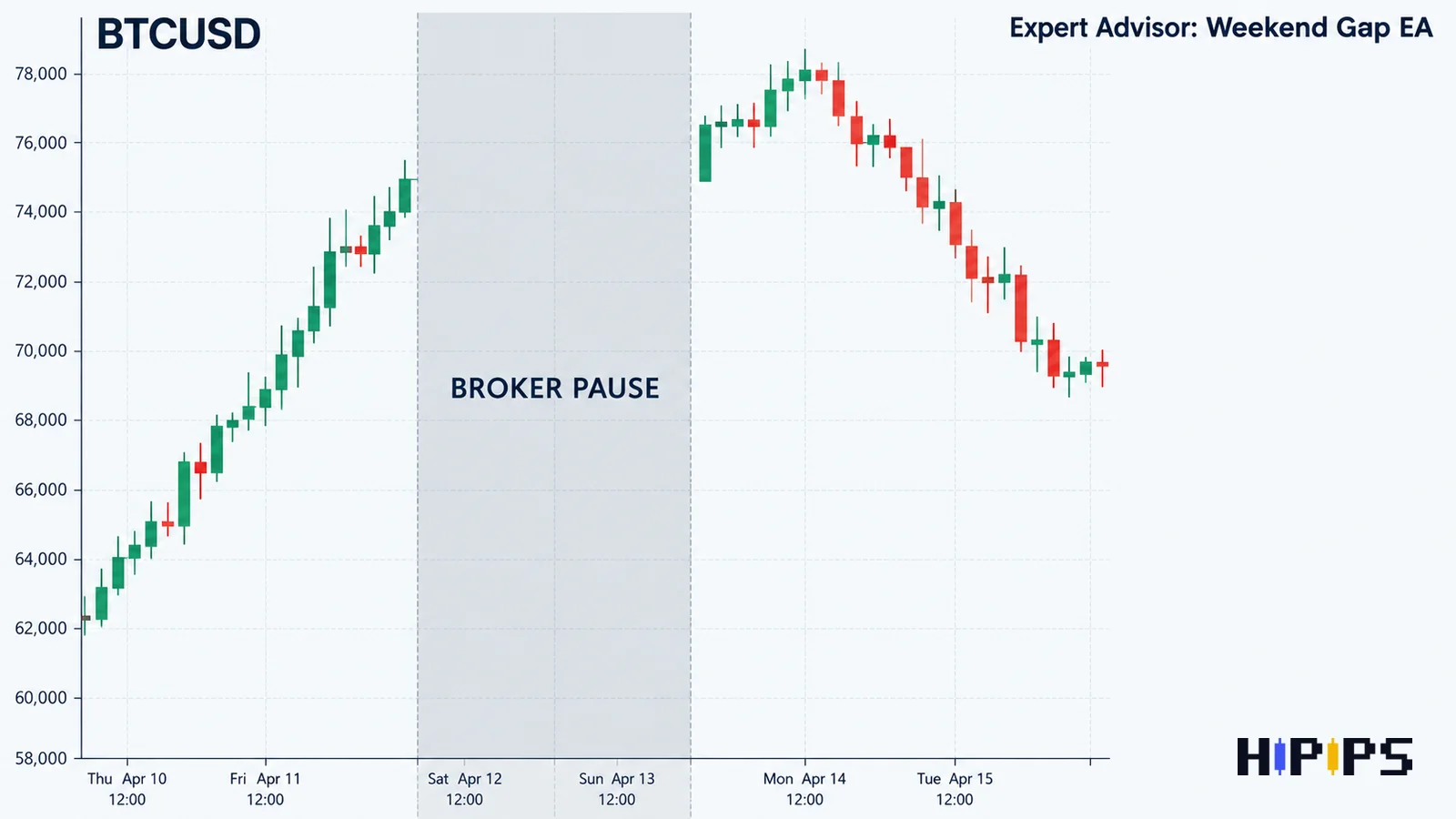
Weekend hours and gaps affect a Bitcoin Expert Advisor because the broker’s CFD pauses while the underlying crypto market keeps trading, so price can reopen far from the last quote and fill a stop loss at a worse level.
A broker pause, such as a weekend maintenance window or a symbol that is unavailable on weekends, holds open positions without quotes. When quotes return, the first price reflects everything that happened on crypto exchanges during the pause, and a stop loss inside the gap fills at the first available price. An Expert Advisor built for forex has two further weekend problems on BTCUSD: session filters written for Monday to Friday ignore weekend bars or block them, and daily loss limits that reset at midnight server time count weekend losses differently from weekday ones. Check the Expert Advisor’s manual for weekend handling, and close or reduce positions before a known broker pause when the manual has none.
What spread, commission and swap does BTCUSD carry?
BTCUSD carries a spread quoted in dollars per bitcoin, a commission on some account types, and a swap charged for positions held past rollover, and all three appear in the broker’s specification or account terms.
Spread on BTCUSD widens during fast moves and around the transitions into and out of broker pauses. A scalping Expert Advisor needs a maximum-spread input set in the broker’s points: with BTCUSD quoted to 2 digits, 1 point is $0.01, so a 3,000-point limit equals $30. Swap long and swap short in the Specification window show the overnight cost of a position, and a swing Expert Advisor that holds BTCUSD for days pays it on every rollover, which changes the result of a strategy tested without swap.
Which strategy types suit a Bitcoin Expert Advisor?
A Bitcoin Expert Advisor suits a strategy type whose stop size fits the 2:1 leverage limit and the account balance: single-entry trend systems and breakout systems fit a wider range of balances, while scalping and grid systems need specific broker conditions.
The table below compares the strategy types on BTCUSD.
| Strategy type | Needs from the broker | Main BTCUSD risk |
|---|---|---|
| Single-entry trend | Low swap, stable weekend quotes | Wide stops in dollars per lot |
| Breakout | Fast fills during volatility | False breakouts and spread spikes |
| Scalping | Low spread and commission, VPS | Spread widening at pauses and news |
| Grid or recovery | High margin headroom | Low leverage limits plus trending moves exhaust margin |
Low retail leverage on crypto CFDs means each position ties up more margin than the same notional value on forex, so a grid Expert Advisor reaches its margin limit after fewer orders. The growth of grid and martingale exposure is covered in martingale Expert Advisor risks.
How to test a Bitcoin Expert Advisor before live trading
Testing a Bitcoin Expert Advisor takes three passes: a real-tick backtest that includes weekend data, a demo forward test that runs through at least one broker pause, and a small live run with the equity stop active.
The MT5 Strategy Tester’s “Every tick based on real ticks” mode tests on ticks accumulated by the broker, and a random or fixed delay adds execution lag, according to the MetaTrader 5 help on strategy testing. Run the test on the broker you plan to use, because contract size, trading sessions and weekend data come from that broker’s symbol. Read equity drawdown and the largest single loss, which shows how the Expert Advisor handled weekend gaps. The tester settings are listed in the guide on how to backtest an MT5 Expert Advisor, and the installation steps in install an Expert Advisor and setfiles in MT5.
Can a crypto Expert Advisor run 24/7?
A crypto Expert Advisor runs 24/7 only when the broker quotes the symbol through the weekend and the terminal stays online, which means a VPS rather than a home computer. Even then, broker maintenance windows interrupt trading each week, so a true 24/7 run is limited by the broker’s schedule. Hosting options are compared in forex VPS for Expert Advisors.
Should a crypto Expert Advisor use the same lot as a forex Expert Advisor?
A crypto Expert Advisor does not use the same lot as a forex Expert Advisor, because a BTCUSD lot and a EURUSD lot hold different contracts with different dollar moves; the lot comes from the risk formula on the broker’s BTCUSD contract. Gold follows the same logic with its own contract, and the guide on how to choose an XAUUSD Expert Advisor shows the gold version. Compare crypto Expert Advisors by the contract size, weekend handling and risk inputs stated on each product page before testing one.










