
BTC Vortex Nexus EA Review: BTCUSD MT5 H1 Robot, No Grid, No Martingale and Risk Checklist

Traders searching for BTC Vortex Nexus EA are comparing a specific BTCUSD trading system, not learning about crypto robots in general. This review looks at the product as an MT5 Bitcoin EA candidate and turns the source details into a practical buyer checklist before live use.
The public listing context presents BTC Vortex Nexus EA as a MetaTrader 5 Expert Advisor for BTCUSD, with an H1 chart setup, breakout structure, Vortex-based momentum detection, trend alignment, volatility filtering, dynamic trade management, trailing stop protection, and no-grid/no-martingale positioning. Those details are useful, but they should be verified against broker conditions, spread, VPS quality, and risk settings before purchase.
Quick Verdict
BTC Vortex Nexus EA is best researched as a BTCUSD EA MT5 for traders who want a structured Bitcoin robot rather than a generic forex EA. The most important buying checks are platform fit, BTCUSD symbol naming, H1 timeframe, broker spread, execution speed, VPS stability, lot size, maximum risk, and whether the no-grid/no-martingale logic is clearly reflected in live and demo behavior.
If you are comparing Bitcoin robots on HiPips, start with the MT5 product category, the Expert Advisor category, and the existing crypto EA MT5 buyer checklist. This article gives you a named-product route into that same crypto EA cluster.
BTC Vortex Nexus EA Overview
| Field | Research Finding | Buyer Meaning |
|---|---|---|
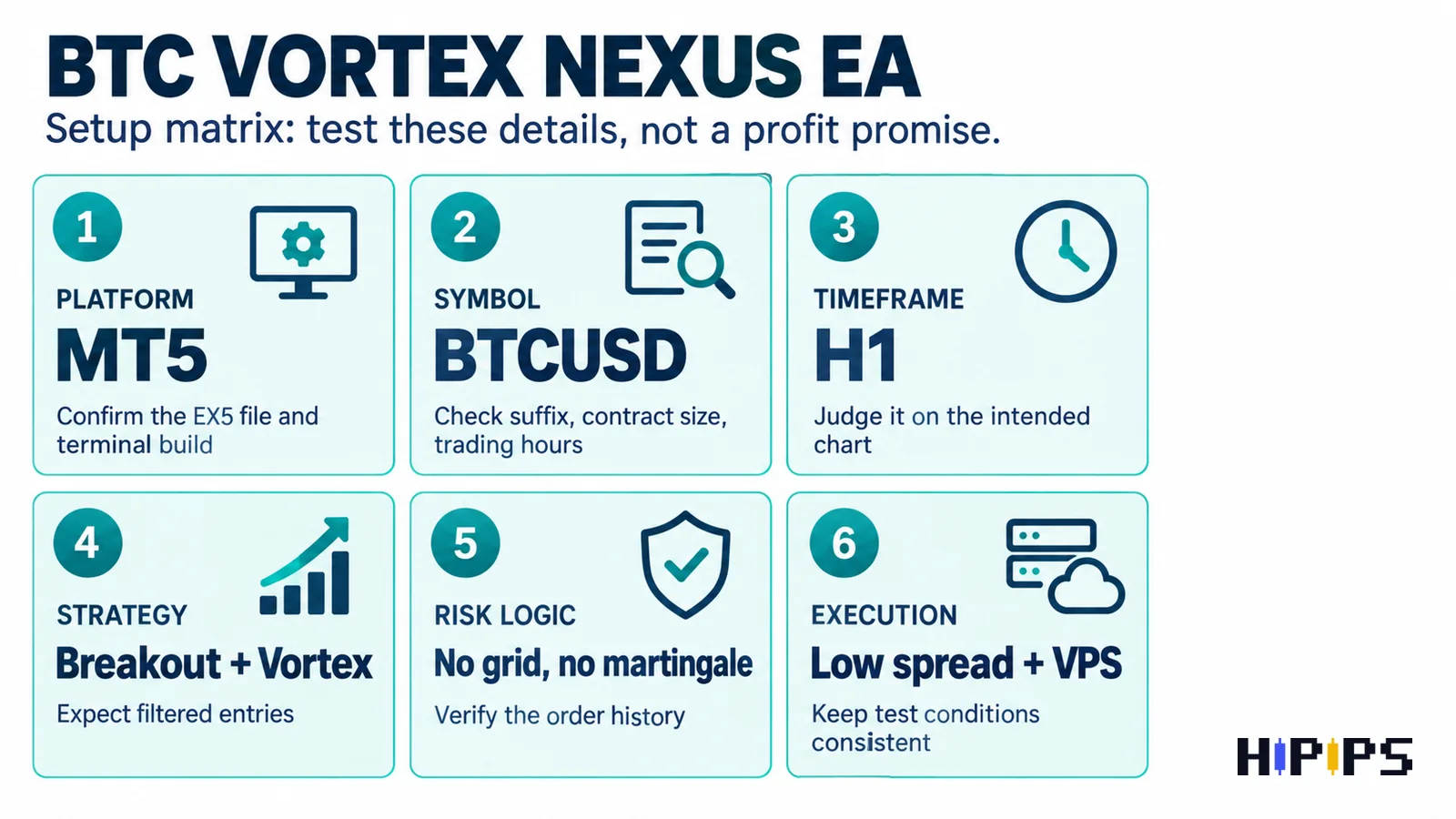
| Platform | MetaTrader 5 | Use MT5, not MT4, unless a separate MT4 package is confirmed. |
| Primary symbol | BTCUSD / Bitcoin | Check broker suffix, contract size, spread and trading hours. |
| Timeframe | H1 | Load and test on the intended timeframe before judging entries. |
| Strategy angle | Breakout structure plus Vortex momentum | Expect signal filtering instead of constant entries. |
| Risk positioning | No grid / no martingale | Verify order history to confirm it does not average aggressively. |
| Environment | Low spread, fast execution, VPS recommended | Crypto spreads and latency can change robot behavior. |
BTCUSD H1 Setup Checks
BTCUSD is not the same as EURUSD or XAUUSD. Bitcoin can move quickly, broker symbols vary, weekend trading rules can be different, and spreads can widen during volatile periods. A BTC robot that looks clean on one broker may behave differently on another broker with wider spread or slower execution.
- Confirm the exact BTCUSD symbol. Your broker may use BTCUSD, BTCUSDm, BTCUSD.pro, Bitcoin, or another suffix.
- Use the intended H1 timeframe first. Do not test a product positioned for H1 on M1 or M5 and expect the same behavior.
- Check contract size and minimum lot. Crypto contract specifications can vary more than normal forex pairs.
- Measure spread during active periods. A BTCUSD robot can be sensitive to spread and slippage.
- Use stable VPS conditions. If the EA needs continuous monitoring, review the Forex VPS for EA trading guide.
Breakout, Vortex Momentum and Volatility Filtering
The product context points to a breakout-style structure combined with Vortex momentum and trend alignment. In plain trading terms, this means the EA should not be expected to enter constantly. A filter-based BTC EA may wait for a cleaner directional condition, then manage the trade according to its internal rules.
That is why the correct question is not “why did it trade today?” but “did it follow the intended market condition?” If an EA has volatility filtering, trend confirmation, and breakout logic, a quiet market may produce few or no trades. Use the EA not trading MT4/MT5 checklist when the robot loads but does not open orders.
No Grid and No Martingale: Good Signal, Still Not Enough
No-grid and no-martingale positioning is important because many traders want to avoid aggressive recovery systems. But it should not be treated as a full risk answer by itself. A single-entry or non-martingale robot can still lose money if lot size is too high, spread is too wide, or the trader ignores drawdown limits.
| Risk Area | What To Verify | Why It Matters |
|---|---|---|
| Order stacking | No multiple recovery layers after loss | Confirms the no-grid/no-martingale claim in behavior. |
| Lot size | Fixed lot or conservative risk setting | Use the forex EA risk settings guide. |
| Stop loss | Defined exit or dynamic protection | A clear exit is better than hoping price returns. |
| Trailing stop | How and when it activates | Trailing stops can protect part of a move but can also exit early. |
| Daily loss limit | Whether trading pauses after drawdown | Crypto volatility needs clear account-level controls. |
Broker and VPS Requirements
The source context emphasizes low spread and fast execution. This matters more for BTCUSD than many traders expect. If spread expands at the exact time a breakout signal appears, entry price and stop distance can be different from a clean backtest. A VPS cannot fix a poor broker, but it can reduce local computer downtime and connection inconsistency.
- Prefer brokers with stable BTCUSD quotes and transparent contract specifications.
- Check whether BTCUSD trading is available during the hours the EA is expected to monitor.
- Compare raw/ECN and standard accounts because spread and commission can change net results.
- Run the same account type in demo forward testing before live use.
- Keep MetaTrader, the EA file and VPS session stable during the test window.
Backtesting Workflow Before Buying or Scaling
Backtesting is not perfect for crypto, but it is still useful for filtering obvious problems. Start by checking whether the EA can run on the intended BTCUSD symbol and H1 timeframe. Then compare several market periods, including high-volatility and lower-volatility phases.
- Run MT5 Strategy Tester on BTCUSD H1 with the intended broker data.
- Use realistic spread or execution assumptions where available.
- Record drawdown, average trade duration, consecutive losses and number of trades.
- Forward test on demo using the same broker and VPS conditions.
- Only change one setting at a time, especially lot size and risk controls.
For a deeper process, use the EA backtesting checklist and the MT5 EA with setfiles guide before moving from research to checkout.
BTC Vortex Nexus EA vs Related HiPips Bitcoin EA Paths
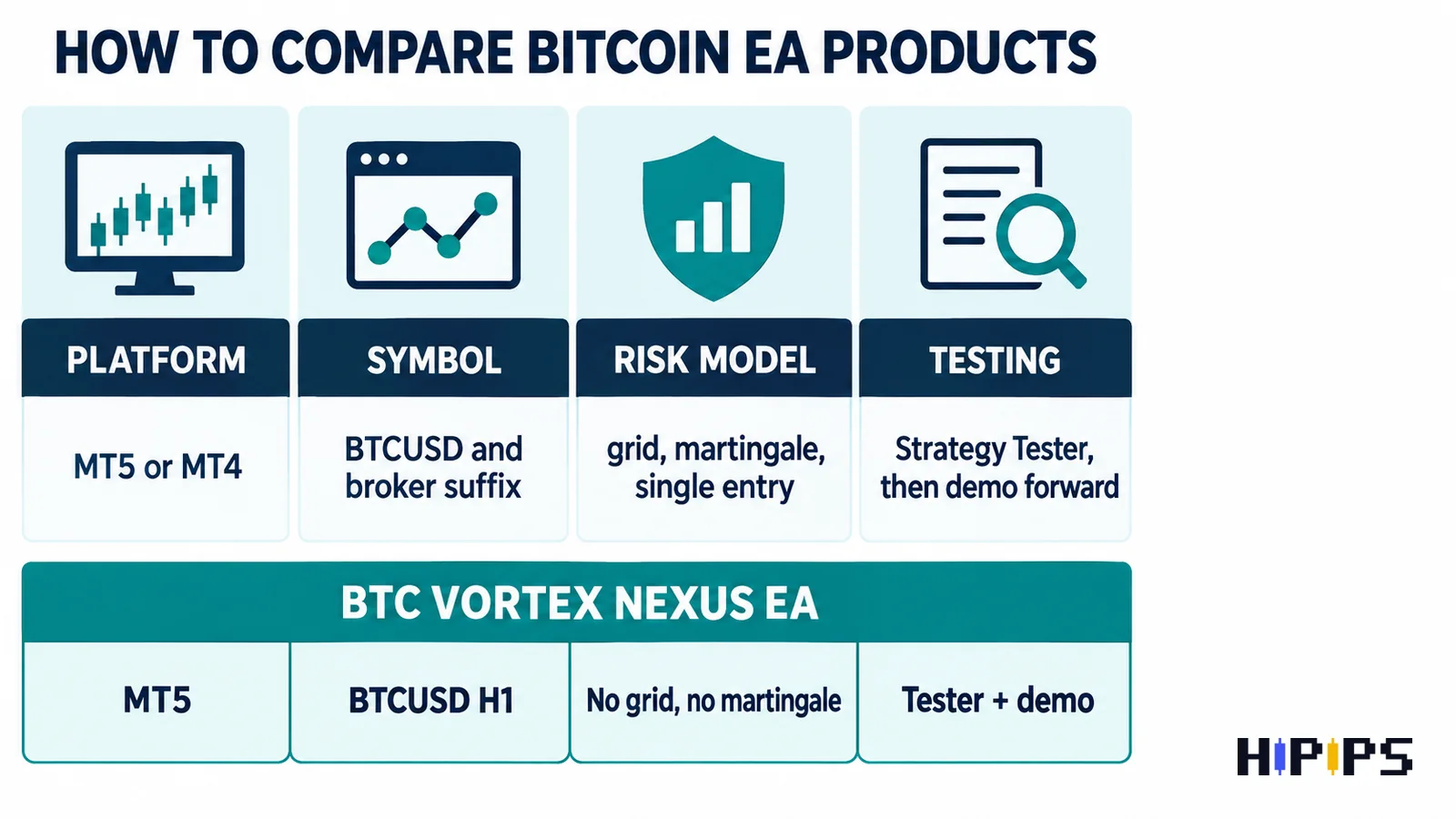
If BTC Vortex Nexus EA is not currently listed on HiPips as its own product page, you can still use the review to compare related Bitcoin and MT5 robot paths. The goal is not to force every visitor to one product. The goal is to help the buyer choose the correct platform, symbol, risk model and testing workflow.
| Product | Why Compare It | Link |
|---|---|---|
| Quantum Bitcoin EA MT5 | Direct MT5 Bitcoin robot comparison. | View product |
| BTC X EA MT5 | BTC-focused MT5 product route. | View product |
| Buster BTC Single Entry EA MT5 | Useful if the buyer wants single-entry style control. | View product |
| Bitcoin Robot EA MT4 | Alternative path for MT4 users. | View product |
| Capital X EA MT5 | BTCUSD H1 and setfile-related comparison. | View product |
| Private EA MT5 | Broader MT5 EA comparison for traders not locked to Bitcoin. | View product |
Who Should Research BTC Vortex Nexus EA?
- MT5 traders who specifically want a Bitcoin or BTCUSD Expert Advisor.
- Traders who prefer no-grid and no-martingale product positioning.
- Buyers comparing breakout or momentum-based crypto robots.
- Users willing to demo forward test before live use.
- Traders with access to a low-spread BTCUSD broker and stable VPS.
Who Should Be Careful?
- Beginners who have not learned lot sizing, drawdown and margin.
- Traders using a broker with unstable BTCUSD spread or unclear contract size.
- Users expecting an EA to trade every day regardless of market condition.
- Anyone choosing a robot based only on screenshots or short-term results.
- Traders who cannot monitor logs, Journal messages and account exposure.
Source and Verification Notes
The user-provided source page is BTC Vortex Nexus EA on ShopForexEA. Additional product context was checked against the MQL5 Market product page. For platform behavior, review MetaTrader’s official notes on Expert Advisors and MT5 terminal settings.
Final Recommendation
For buyers, the right process is simple: confirm MT5, BTCUSD, H1, broker spread, VPS stability, no-grid/no-martingale behavior, trailing stop rules, and risk settings. Then compare it with related MT5 EAs, Expert Advisors, and Bitcoin robot alternatives before using real capital.
FAQ
What is BTC Vortex Nexus EA?
BTC Vortex Nexus EA is presented as a MetaTrader 5 Expert Advisor for BTCUSD trading, with H1 setup context and a breakout/momentum style research angle.
Is BTC Vortex Nexus EA an MT4 or MT5 robot?
The current public product context points to MT5. Buyers should verify the exact package file before purchase.
Does no martingale mean no risk?
No. No-martingale logic can reduce one type of recovery risk, but lot size, stop loss, broker spread and market volatility still matter.
Should BTC Vortex Nexus EA be tested on demo first?
Yes. BTCUSD can be volatile, so demo forward testing with the same broker, symbol, timeframe and VPS setup is the most practical first step.










