
BTC Scalper IA MT5 Review: Bitcoin Scalping EA Setup, Risk Controls, and Alternatives

BTC Scalper IA MT5 is a Bitcoin-focused MetaTrader 5 Expert Advisor listed on HiPips as BTC SCALPER IA MT5 V1.2 BUILD 5836+. This review is written for traders who want to understand the product before checkout, compare it with other Bitcoin robots, and avoid the common mistakes that happen when a crypto scalping EA is installed without checking spread, symbol settings, VPS latency, and lot size.
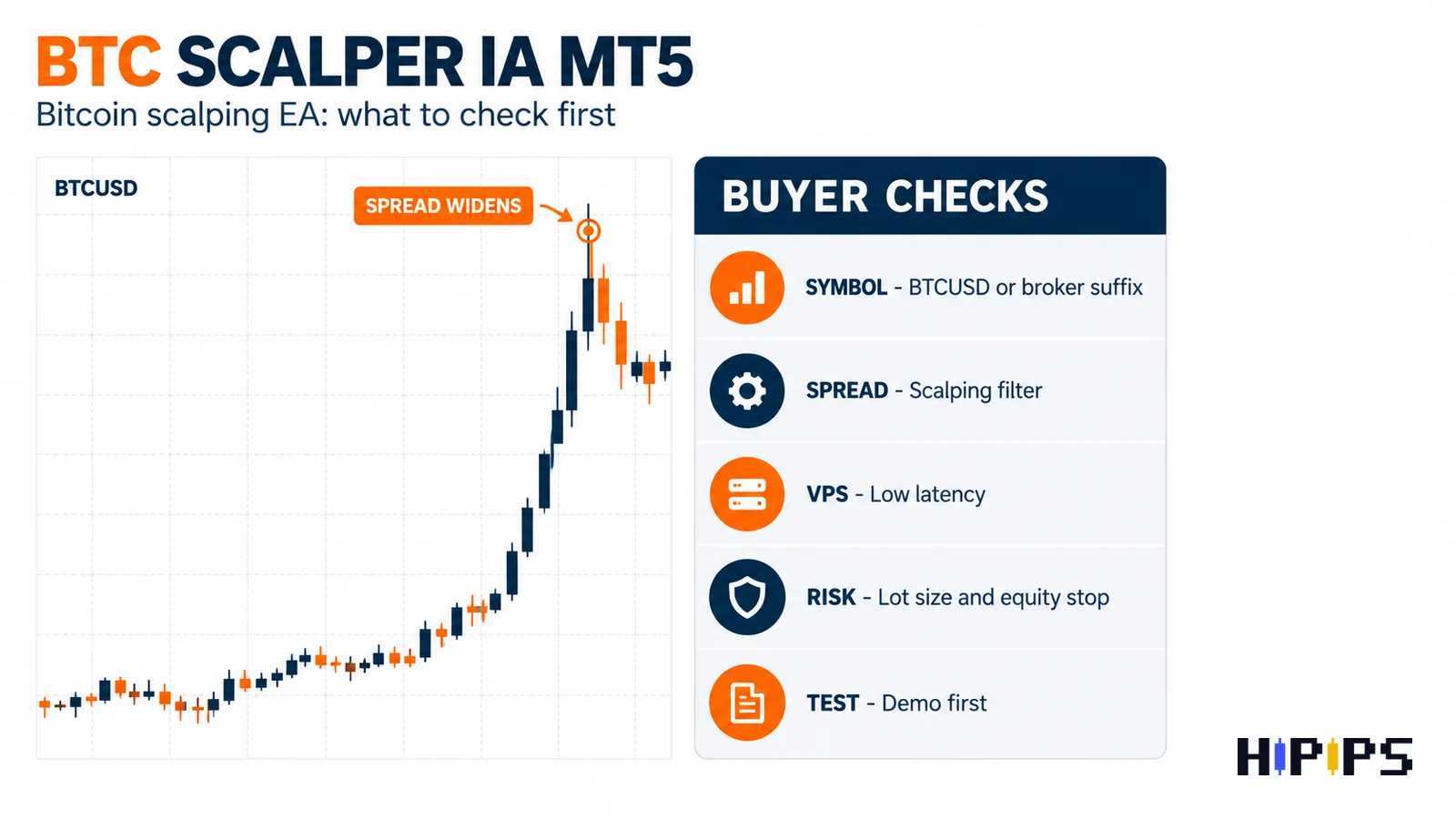
Bitcoin automation should be reviewed differently from a normal forex pair or even a gold EA. BTCUSD can move quickly, broker contract sizes can differ, weekend conditions may not be identical across brokers, and a scalping strategy can become sensitive to slippage. For that reason, the best way to evaluate BTC Scalper IA MT5 is not to ask whether it can make money. The better question is whether the platform, symbol, execution conditions, and risk controls match your account.
Quick Verdict
| Buyer question | Review answer |
|---|---|
| Best fit | Traders looking for a product-specific BTC scalper EA on MetaTrader 5. |
| Platform | MT5, based on the listed product title. |
| Core market | Bitcoin/BTCUSD style trading. Confirm the exact broker symbol before installation. |
| Main risk | Spread, slippage, crypto volatility, contract size, VPS latency, and lot sizing. |
| Must check before buying | Setfiles, broker requirements, max spread filter, stop loss behavior, build compatibility, and support files. |
The short recommendation: BTC Scalper IA MT5 is worth reviewing if you specifically want a Bitcoin scalping robot for MT5, but it should not be treated as a plug-and-forget product. Test it on demo first, record the spread and execution behavior, and compare it against other Bitcoin EA products on HiPips before using live risk.
What Is BTC Scalper IA MT5?
BTC Scalper IA MT5 is positioned as an MT5 Expert Advisor for Bitcoin scalping. The product page title indicates version V1.2 BUILD 5836+, which matters because MT5 compatibility can depend on both the EA build and the terminal build used by the trader. If your broker uses a non-standard crypto symbol such as BTCUSDm, BTCUSD., BTCUSD.r, or another suffix, the setup should be checked before any live test.
The word “scalper” suggests a short-term trading approach, but buyers should not assume the exact entry model without checking the product files or support instructions. A proper review should verify whether the EA uses fixed stop loss, trailing logic, session filters, maximum spread filters, maximum orders, equity protection, or any recovery logic. Those details are more important than a sales headline.
BTC Scalper IA MT5 Product Information Checklist
| Item | What to confirm | Why it matters |
|---|---|---|
| Platform | MetaTrader 5 | MT4 files and MT5 files are not interchangeable. |
| Symbol | BTCUSD or broker-specific Bitcoin symbol | Crypto suffixes and contract sizes can change risk. |
| Strategy type | Scalping | Scalping is sensitive to spread, execution and latency. |
| Version/build | V1.2 BUILD 5836+ | Helps confirm compatibility with your MT5 terminal. |
| Setfiles | Check whether preset files are included | Setfiles reduce setup guesswork but still need demo testing. |
| Risk controls | Lot size, max spread, stop loss, max orders, equity stop | These settings control exposure during fast BTC moves. |
| VPS requirement | Low-latency VPS preferred | Bitcoin scalping can be affected by delay and slippage. |
Why Bitcoin Scalping Needs Extra Caution
A crypto scalper is exposed to a different execution environment than a standard EURUSD EA. Bitcoin can move sharply in short bursts. Spreads can widen during volatile windows. Some brokers pause crypto trading for maintenance, while others allow broader weekend trading. Contract size can also differ from broker to broker, so a lot size that looks small on one account may be too aggressive on another.
This is why BTC Scalper IA MT5 should be tested with conservative settings first. The goal of the first test is not to chase the highest backtest curve. The goal is to learn how the EA behaves when spread changes, slippage appears, and the broker symbol does not match the default setup.
MT5 Testing Workflow Before Live Use
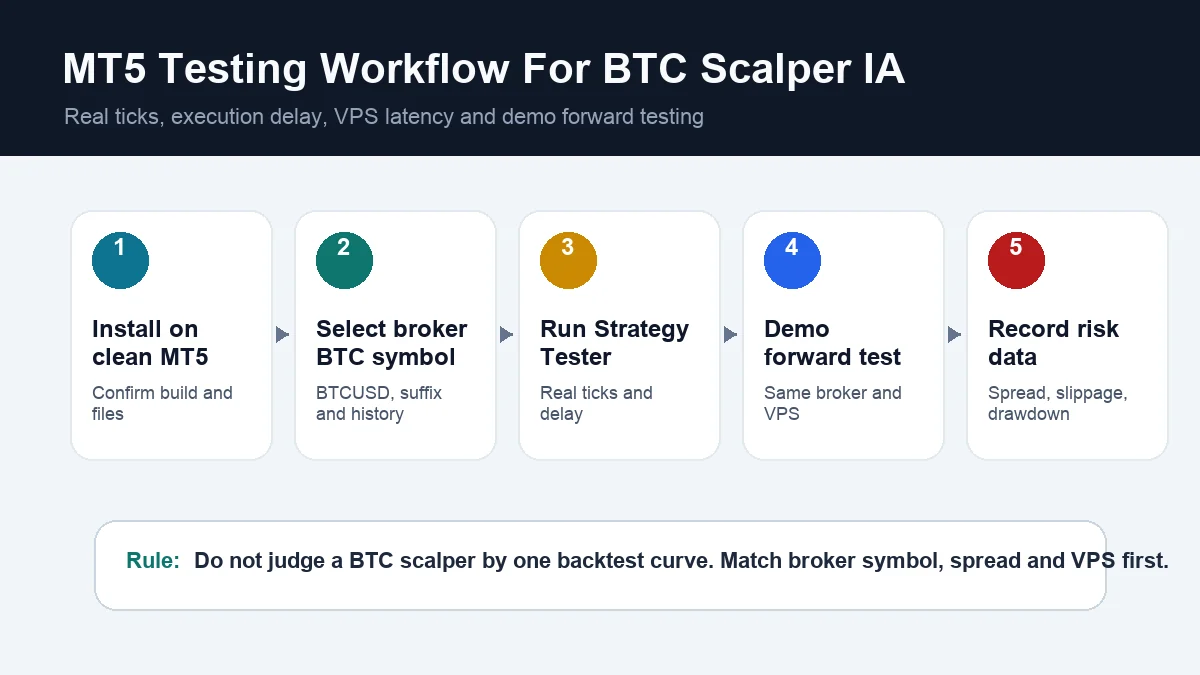
MetaTrader 5 includes a Strategy Tester for Expert Advisors. The official MT5 documentation explains that Strategy Tester can test and optimize trading strategies before live use, and it also supports testing modes such as real ticks, forward testing, and execution delay simulation. This is especially important for a BTC scalper because execution delay and tick quality can change the result of a short-term strategy.
- Install BTC Scalper IA MT5 on a clean MT5 terminal.
- Confirm that your broker offers the correct Bitcoin symbol.
- Open Market Watch and make sure the symbol history is available.
- Run an initial Strategy Tester pass on BTCUSD with conservative lot size.
- Repeat using real ticks if your broker provides enough tick data.
- Use forward testing to reduce overfitting risk.
- Test on demo with the same broker, symbol and VPS planned for live use.
- Record spread range, average trade duration, maximum drawdown, and any rejected orders.
Risk Controls To Check Inside The EA
Before using BTC Scalper IA MT5 on a live account, inspect every risk input. If the product package includes setfiles, do not assume the default file is suitable for every account size. A Bitcoin scalper should be reviewed around exposure control.
- Lot size: start smaller than you think because BTC contract values vary by broker.
- Maximum spread: a scalper should avoid entries when BTCUSD spread is too wide.
- Stop loss: confirm whether the EA uses real SL, virtual SL, trailing exit, or another protection method.
- Maximum orders: check if the robot can open multiple positions at once.
- Recovery logic: identify whether grid, martingale, averaging, or multiplier logic exists.
- Trading session: confirm if the EA trades around weekend or maintenance periods.
- Equity protection: check whether there is a daily loss, max drawdown, or equity stop setting.
BTC Scalper IA MT5 vs Related Bitcoin EA Products
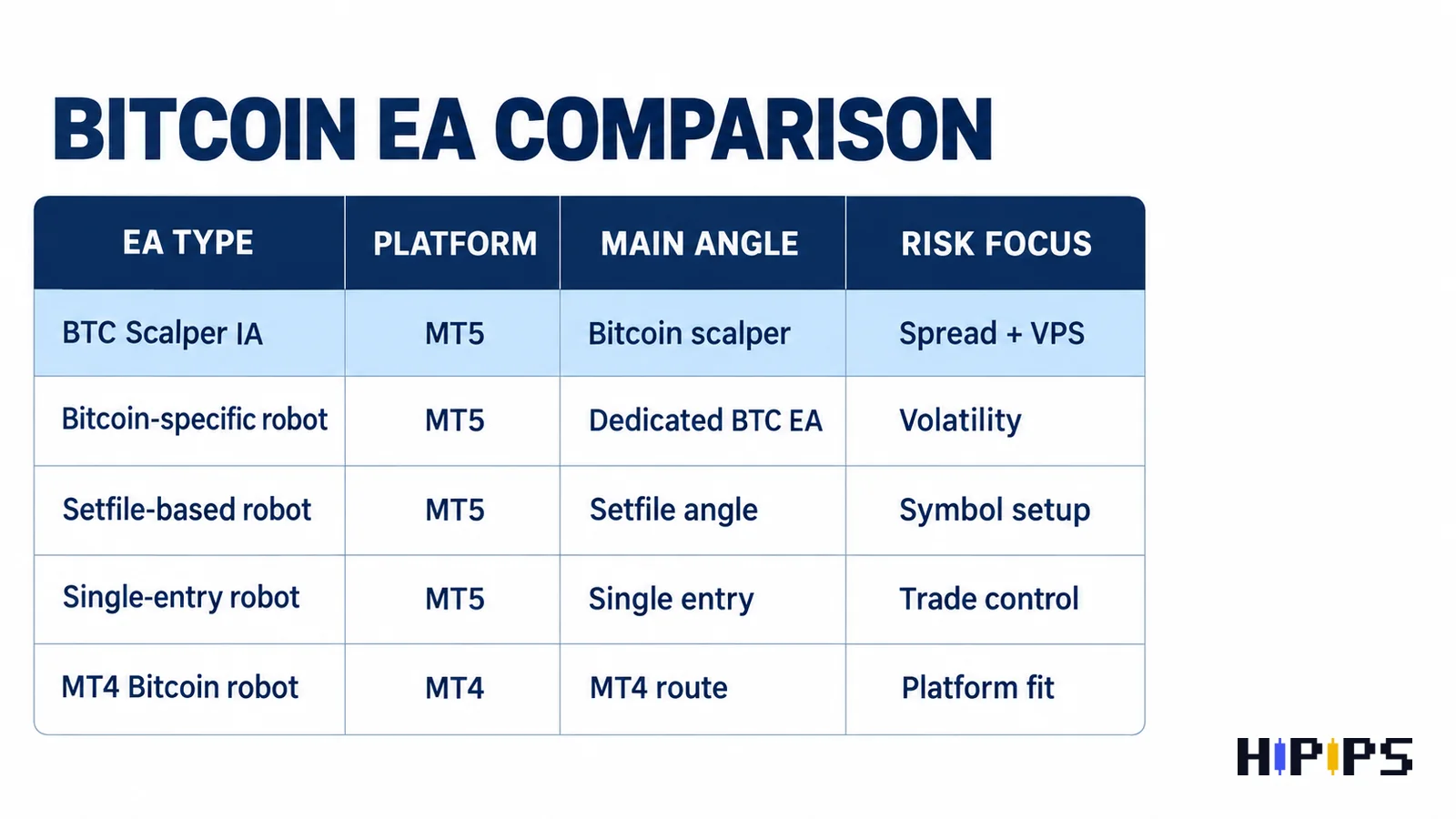
Use this comparison to build a smarter buying path. It does not mean one product is automatically better than another. It shows which product angle to compare before checkout.
| Product | Main angle | Best buyer question |
|---|---|---|
| BTC Scalper IA MT5 | MT5 Bitcoin scalper review target | Does this match my BTCUSD symbol, spread and scalping conditions? |
| Quantum Bitcoin EA MT5 | Dedicated MT5 Bitcoin robot alternative | Do I prefer this Bitcoin-specific EA over a scalping-focused product? |
| BTC X EA MT5 | BTCUSD MT5 product with setfiles angle | Are setfiles and BTCUSD setup instructions more important for me? |
| Buster BTC Single Entry EA MT5 | Single-entry Bitcoin EA comparison | Do I want fewer, more controlled entries instead of scalping frequency? |
| Bitcoin Robot EA MT4 | MT4 Bitcoin robot alternative | Am I using MT4 instead of MT5? |
| Capital X EA MT5 | BTCUSD H1 and setfiles comparison | Do I prefer a higher-timeframe BTCUSD setup over scalping? |
Who Should Consider BTC Scalper IA MT5?
BTC Scalper IA MT5 may suit traders who already understand MetaTrader 5 and want a Bitcoin-specific automated strategy rather than a broad multi-pair robot. It is also a better fit for traders willing to test broker conditions carefully. A scalper is not ideal for someone who wants to install a robot once and ignore spreads, slippage, VPS uptime, or weekend behavior.
This product is less suitable if your broker has unstable BTCUSD spreads, weak crypto execution, frequent symbol changes, or no reliable history for testing. It is also not a good match if you do not know how to reduce lot size, read the MT5 Journal tab, or compare demo and live execution.
Pros and Cons
| Pros | Cons / checks |
|---|---|
| MT5 platform gives access to Strategy Tester and forward testing. | BTCUSD spreads and contract sizes can vary heavily by broker. |
| Good topic fit for the HiPips crypto EA cluster. | Scalping can be sensitive to VPS latency and slippage. |
| Can be compared directly with other Bitcoin EA products. | Should not be used live before demo testing and risk review. |
Buyer Checklist Before Checkout
- Open the BTC Scalper IA MT5 product page and confirm the download package.
- Check whether setfiles are included and whether they mention BTCUSD, BTCUSDm, or another symbol.
- Confirm MT5 build compatibility with your terminal.
- Check if the strategy uses grid, martingale, recovery, fixed SL, virtual SL, or single-entry logic.
- Compare with Quantum Bitcoin EA MT5, BTC X EA MT5, and Buster BTC Single Entry EA MT5.
- Read the broader Crypto EA MT5 risk checklist before testing.
- Use the EA backtesting guide and risk settings guide before live use.
Final Recommendation
BTC Scalper IA MT5 is a strong blog target because it has clear product intent, a specific platform, and a defined Bitcoin scalping angle. The review should rank better than a generic crypto EA article because it answers a named-product query while linking into the wider HiPips Bitcoin EA cluster.
For buyers, the safest approach is to treat BTC Scalper IA MT5 as a product to test carefully, not a shortcut around risk management. Confirm the symbol, start with conservative lot size, test on MT5 with realistic tick and delay settings, and compare it with other Bitcoin EA alternatives before committing live capital.
FAQ
Is BTC Scalper IA MT5 for MetaTrader 5?
Yes, the listed product title identifies it as an MT5 Expert Advisor. Buyers should still confirm that the downloaded files are for MetaTrader 5 before installation.
Does BTC Scalper IA MT5 trade BTCUSD?
The product name and category intent point to Bitcoin/BTC scalping, but the exact broker symbol should be checked. Some brokers use BTCUSD, BTCUSDm, BTCUSD., or other suffixes.
Is BTC scalping riskier than normal forex EA trading?
It can be. Bitcoin can have sharp volatility, wider spreads, different trading hours, and broker-specific contract sizes. That makes conservative testing important.
Should I use a VPS for BTC Scalper IA MT5?
A low-latency VPS is recommended for scalping because execution delay and platform downtime can affect short-term entries and exits.
What should I compare before buying?
Compare platform, BTC symbol support, setfiles, max spread filter, lot sizing, stop loss behavior, max open trades, recovery logic, and available support instructions.










Great content! Keep up the good work!